
By NaJade · DJ in Bangkok · Published October 20, 2026
This guide is part of how to learn to DJ: the complete guide.
Most DJs’ first real gig isn’t in a club. It’s in a friend’s living room, next to the fridge.
House parties are the best training ground in DJing. The crowd is honest, the stakes are low, and you learn to read people from two metres away. They also go wrong in very specific ways — a Bluetooth speaker that can’t cope, Wi-Fi that drops mid-request, neighbours at the door at 11pm. Here’s how to set up, prepare and play so the night works.
To DJ a house party: use a controller you know, powered speakers rather than Bluetooth, and downloaded music with streaming only as backup. Ask the host about the crowd, prepare mood-based crates, start quiet and familiar, play in short blocks, and agree volume and cut-off times with the neighbours.
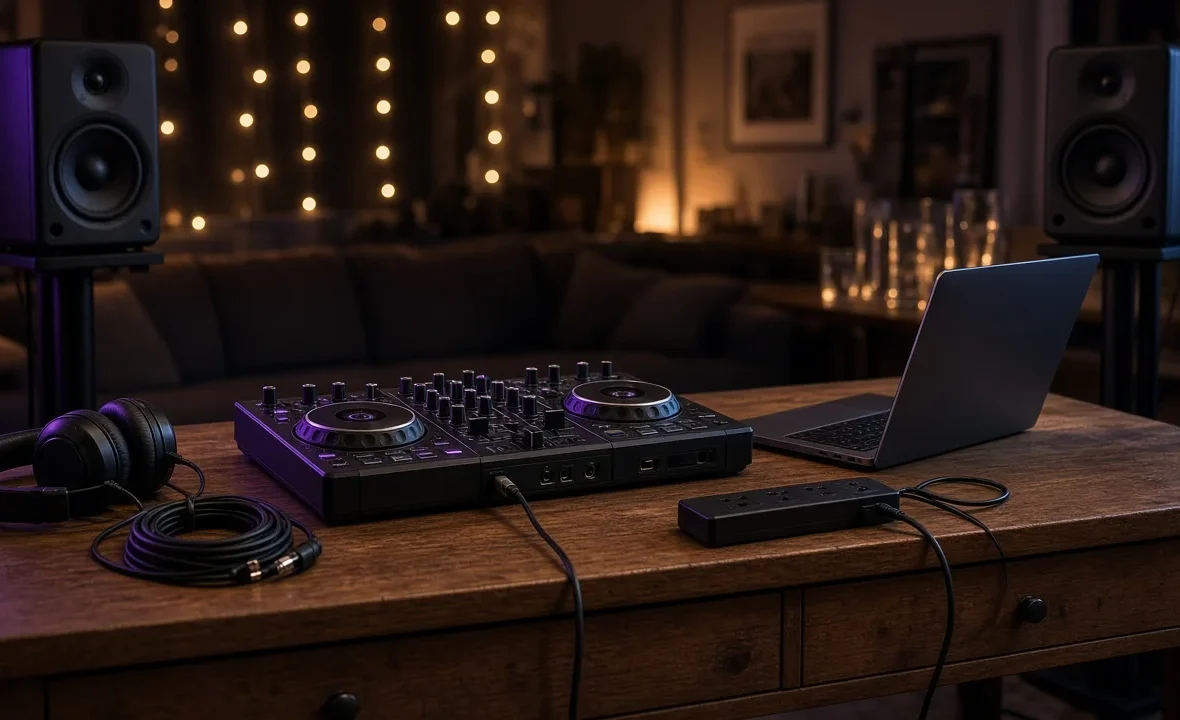
The Gear You Actually Need
You don’t need a club setup. You need something reliable that you already know how to use.
| Item | Minimum | Better |
|---|---|---|
| Controller | Any 2-channel controller you know well | Same — familiarity beats features |
| Laptop | Charged, updated, notifications off | Plugged into power all night |
| Speakers | A pair of powered speakers | Powered PA speakers on stands, plus a small sub |
| Headphones | Any closed-back pair | DJ headphones with a coiled cable |
| Cables | RCA or jack-to-XLR leads, plus a spare | A small kit bag with adapters and a power strip |
Avoid playing through a Bluetooth speaker if you can. The delay makes it impossible to judge a mix from the speaker, and most can’t fill a room without distorting. If it’s all you have, cue everything in headphones and accept the limits. Wiring help: how to connect a DJ controller to speakers and DJ cables explained.
Prepare Like It’s a Paid Gig
- Ask the host about the crowd. Ages, the music they love, the songs that must not be played. A thirtieth birthday and a university flat party need very different sets.
- Build crates, not a script. Make folders by mood: arrival, singalongs, dance floor, throwbacks, wind-down. You’ll move between them as the room changes.
- Favour radio edits. At a house party, three- to four-minute versions and quicker mixes keep attention better than long extended intros.
- Fix your library first. Check grids and set hot cues on the tracks you’re likely to play — see what are hot cues and organising your music library.
- Download your music. Don’t rely on home Wi-Fi for streaming.
Streaming at a House Party: What Works in 2026
Streaming is genuinely useful for requests, and since September 2025 even Spotify Premium works inside rekordbox, Serato and djay. But there are catches: streamed tracks need a stable connection, most services can’t be played offline, and the apps block recording a mix that uses streamed tracks.
| Service | rekordbox 7 | Serato DJ Pro | Offline? |
|---|---|---|---|
| Spotify Premium | Yes | Yes | No |
| Apple Music | Yes | Yes | No |
| Beatport Streaming | Yes | Yes | Yes, on higher plans |
| TIDAL | Yes (DJ Extension) | Yes (DJ Add-On) | Limited |
| SoundCloud Go+ | Yes | Yes | Limited |
Check the current details on the rekordbox streaming FAQ or Serato’s streaming page. Our deeper guide is can you DJ with Spotify. My rule: downloaded files for the core of the set, streaming as a backup for requests.
Reading the Room
- Start quiet and familiar. When guests arrive, the music is background. Play what people know, at a volume where they can talk. Nobody dances at 8pm.
- Think in mini-sets. Instead of one long build, play 15–20 minute blocks that go up or calm down depending on the room.
- Find the dancer. Every party has one person who gets everyone else moving. Play for them early.
- Drop what doesn’t work. If a track clears the floor, mix out quickly. No ego.
- Save the singalongs. The big throwbacks work best once people have had a drink and loosened up.
This is the same skill as reading a crowd in a club, just closer up. If you’re opening the night, how to play a warm-up set applies too.
Requests, Volume and Neighbours
- Requests: say yes to the ones that fit and “maybe later” to the ones that don’t. Keep a notes app open so nothing gets forgotten.
- Volume: loud enough to dance, not so loud people shout. The WHO’s safe listening standard for venues caps average levels at 100 dB — a living room should be well below that.
- Neighbours: the host should warn them in advance and agree a cut-off. Turn the bass down first when it gets late; bass travels through walls more than anything else.
- Protect your ears: you’re standing closest to the speakers. See DJ hearing protection.
A Note From NaJade
My first gig was a friend’s birthday in a condo in On Nut. I brought a beginner controller, a pair of borrowed speakers and a playlist of progressive house I thought was perfect. For the first hour, nobody cared. Then I played one Thai pop song the birthday girl loved and the living room exploded. That night taught me more than any tutorial: you’re not there to show your taste, you’re there to make the room feel good. I still play house parties now and then, and I still bring a backup cable, a power strip, and a folder of songs I’d never play in a club. They’re usually the ones that save the night.
Related: home DJ setup guide, what to bring to a DJ gig, how to get your first DJ gig, and open-format DJing.
Frequently Asked Questions
What equipment do I need to DJ a house party?
Can I DJ a house party with a Bluetooth speaker?
How long should a house party DJ set be?
Can I use Spotify to DJ a house party?
How do I handle song requests at a party?
How loud should music be at a house party?
About the Author
NaJade is a Bangkok-based DJ playing progressive house, melodic EDM, pop, and Thai music across clubs, rooftops, and weddings in Thailand. He teaches beatmatching and mixing to beginners both in person in Bangkok and online over Zoom. When he’s not behind the decks, he’s documenting the journey on YouTube, Instagram, and TikTok.