
By NaJade · DJ in Bangkok · Published September 29, 2026
The colored pads on your controller, explained — and how they make your mixing faster and more creative.
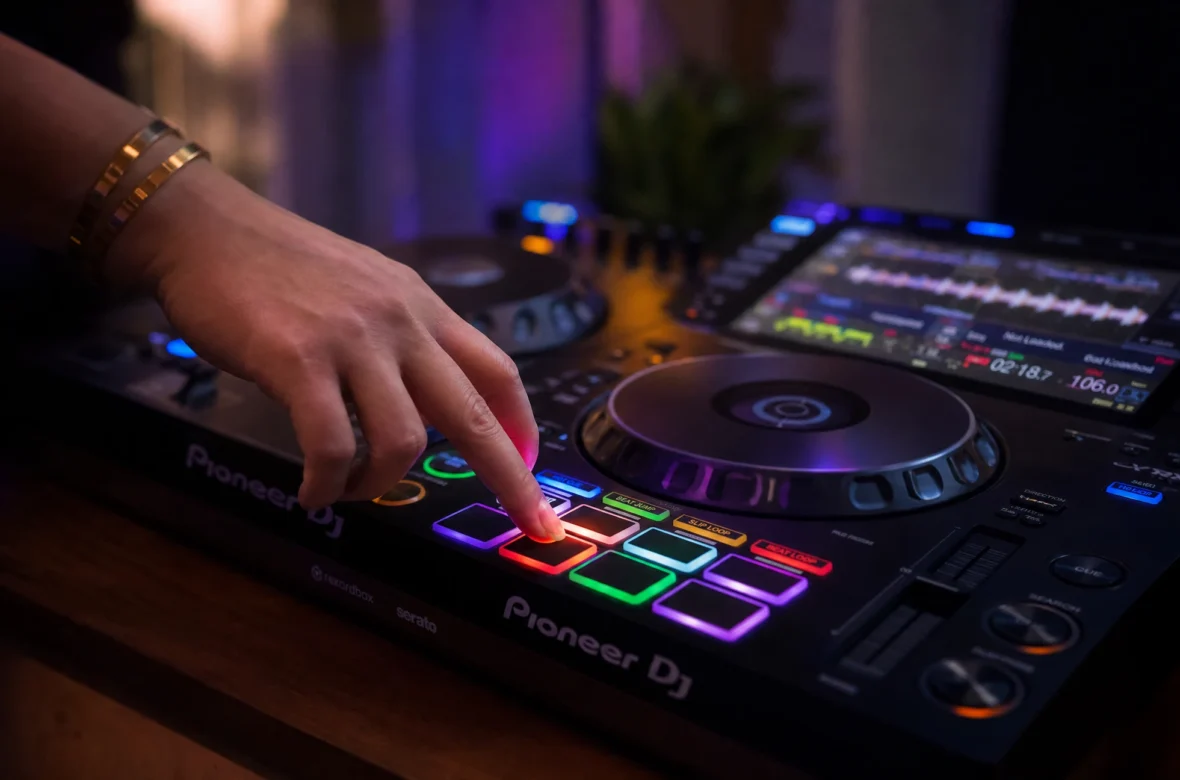
You’ve seen them: the row of glowing colored pads on every DJ controller. For a lot of beginners they’re a mystery — pressed by accident, then ignored. But hot cues are one of the most useful tools you have, and once you understand them, you’ll wonder how you mixed without them. Here’s what they are and how to actually use them.
A hot cue is a saved marker at a specific point in a track that you can instantly jump to by pressing a pad — like the drop, the breakdown, or the start of the first beat. DJs use hot cues to start mixes from exactly the right spot, trigger sections on the fly, and never lose their place in a track. Most controllers give you 8 hot cues per track.
What Is a Hot Cue?
A hot cue is a marker you place at a meaningful point in a track. Once it’s set, pressing that pad jumps you instantly to that exact spot — no scrolling, no searching, no guessing. As the official manufacturer guide puts it, a hot cue lets you quickly access specific parts of a track like the chorus, drop, or breakdown without manually hunting for them.
Most DJ software and controllers give you 8 hot cues per track, each on its own colored pad. They’re saved to the track, so once you’ve set them, they’re there every time you load that song.
Hot Cue vs Headphone Cue — Don’t Confuse Them
This trips up almost every beginner, so let’s clear it up. These are two completely different things that both use the word “cue”:
- Hot cue — a saved marker in a track you jump to by pressing a pad. A performance tool.
- Headphone cue — the button that lets you listen to a track privately in your headphones before the crowd hears it (what you use to beatmatch). A monitoring tool.
Same word, different jobs. This article is about hot cues.
How to Set a Hot Cue
Setting one is simple and works almost identically across rekordbox, Serato, and Traktor:
- Play or scroll the track to the exact point you want to mark — say, the first beat or the drop.
- Press a blank hot cue pad on your controller (or click a blank hot cue slot on screen). The marker is now set.
- Press that pad anytime to jump straight back to that point.
- To delete one, usually hold Shift and press the pad (or click the small X on screen).
Because hot cues save to the track, prepping them at home means your tracks are ready to perform the moment you load them at a gig.
How DJs Actually Use Hot Cues
- Starting a mix from the right spot. Set a hot cue on the first beat of the track’s intro, so you can drop the next track in perfectly on time, every time.
- Jumping to the drop. Mark the drop so you can skip a long intro and bring the energy instantly when the moment calls for it.
- Marking song sections. Intro, breakdown, drop, outro — having these mapped lets you rearrange a track live, skipping or repeating sections on the fly.
- Triggering loops and stabs. Combined with loops, hot cues let you re-trigger a vocal hook or a punchy section for creative effect.
- Cue drumming. Advanced DJs like James Hype turn hot cues into an instrument, finger-drumming sections of a track live. That’s where this gets really fun later.
Hot Cues vs Memory Cues
You’ll also see “memory cues” in your software, and it’s worth knowing the difference. Memory cues are reference points stored in chronological order that you skip through to navigate a track — useful as a map. Hot cues are performance triggers you can fire at any moment. A common pro approach, covered well in We Are Crossfader’s hot cue guide, is to use memory cues for navigation so you can keep your hot cues free for live performance. As a beginner, don’t overthink this — just start by setting one hot cue on the first beat of each track and build from there.
A Simple Hot Cue System for Beginners
Consistency beats cleverness. Pick a simple system and use it on every track so your muscle memory builds:
- Pad 1 — first beat / start of the intro (your main mix-in point)
- Pad 2 — the drop or main hook
- Pad 3 — the breakdown
- Pad 4 — the outro / mix-out point
Four cues, same layout on every track. Once that’s automatic, you’ll always know exactly where you are in a song and where you can go — which makes mixing faster and far less stressful.
A Note From NaJade
Hot cues were the thing that made my mixing feel controlled instead of reactive. Before I used them properly, I was always scrambling to find the right spot in a track mid-mix. Once I set a cue on the first beat of every track in my library, dropping the next tune in on time became effortless — and that freed up my brain to actually think about the music. If you do one thing after reading this: go set a hot cue on the first beat of your ten favorite tracks. You’ll feel the difference your next practice session.
Setting up a clean cue system is something I walk students through early in my DJ lessons — in person in Bangkok or online over Zoom — because it makes everything else easier. If you’re still building the foundation, start with how to beatmatch and how to mix two songs together.
Frequently Asked Questions About Hot Cues
What is a hot cue in DJing?
How do you set a hot cue?
What’s the difference between a hot cue and a headphone cue?
How many hot cues can you set per track?
What’s the difference between hot cues and memory cues?
Where should beginners place hot cues?
About the Author
NaJade is a Bangkok-based DJ playing progressive house, melodic EDM, pop, and Thai music across clubs, rooftops, and weddings in Thailand. He teaches beatmatching and mixing to beginners both in person in Bangkok and online over Zoom. When he’s not behind the decks, he’s documenting the journey on YouTube, Instagram, and TikTok.