
By NaJade · DJ in Bangkok · Published September 29, 2026
The three knobs that separate a muddy mix from a clean, professional one.
If beatmatching is how you line two tracks up, EQ is how you make them actually sound good together. It’s the skill that takes a mix from “the beats match but it sounds like mud” to “that blend was seamless.” Most beginners ignore the EQ knobs for far too long — and it’s the fastest upgrade to your mixing you can make. Here’s exactly what those three knobs do and how to use them.
EQ (equalization) lets you control three frequency ranges of a track independently: low (bass and kick), mid (vocals, melody, body), and high (hi-hats, cymbals, air). When DJing, you mostly use EQ to cut frequencies — especially the lows — so two tracks playing together don’t clash. The 12 o’clock position is neutral; turn left to cut, right to boost. That’s the whole foundation.
What the Three EQ Knobs Actually Do
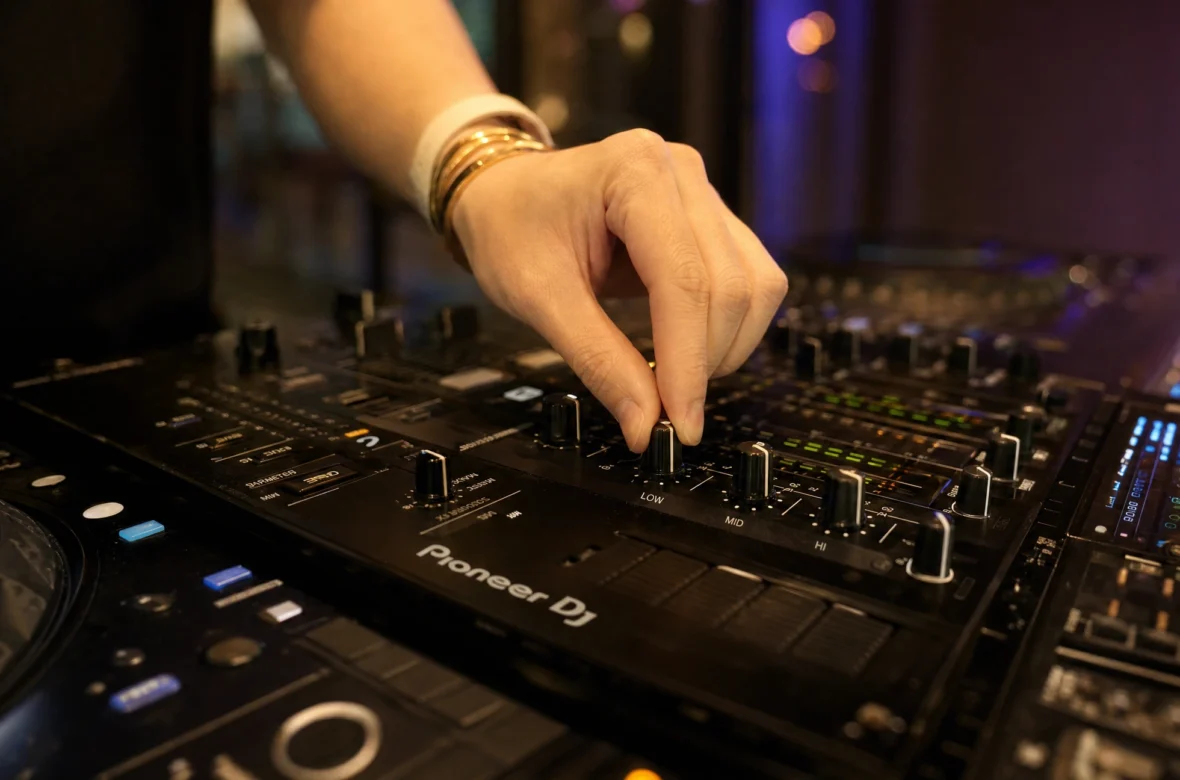
Almost every DJ mixer and controller has a 3-band EQ on each channel — three knobs labelled low, mid, and high. Each controls a slice of the frequency spectrum (humans hear roughly 20Hz to 20kHz):
- Low (Bass) — roughly 20–200Hz. The kick drum and bassline. The part you feel in your chest. This is the knob you’ll use most.
- Mid — roughly 200Hz–4kHz. The “body” of the track: vocals, melody, lead sounds, the weight of the drums.
- High (Treble) — roughly 4kHz–20kHz. Hi-hats, cymbals, the “air” and sparkle on top.
The neutral position for every knob is 12 o’clock — the track at its original sound. Turn a knob counter-clockwise to cut (reduce) that frequency, or clockwise to boost (increase) it. Some mixers split the mid into two (a 4-band EQ), but for beginners and most pros, 3-band is all you need. The exact ranges vary slightly by mixer; DJ Mag’s EQ guide is a good deeper read if you want the full breakdown.
The Golden Rule: Cut, Don’t Boost
This is the mindset shift that makes DJs sound professional: most of the time, you’re cutting frequencies, not boosting them.
Why? Because tracks are already mastered to sound full and loud. Boosting frequencies quickly leads to distortion and clipping (that nasty redlining sound). Cutting, on the other hand, creates space — it lets you carve room for a second track without everything turning to mush. When in doubt, turn a knob down, not up. A clean mix is about removing what clashes, not piling on more.
How to Use EQ in a Transition
This is where EQ earns its keep. The core problem when two tracks play together: two basslines and two kick drums fighting for the same low frequencies — the cause of nearly every muddy beginner mix. EQ solves it. Here’s the standard move (the bass swap I covered in the mixing guide, now from the EQ side):
- Before bringing the new track in, cut its low EQ all the way down. Keep its mid and high near 12 o’clock.
- Bring the new track into the mix. The crowd hears its hi-hats and melody layering on top of the current track — not a clumsy bass collision.
- At the transition moment (a phrase boundary), cut the old track’s low EQ down as you bring the new track’s low EQ up — swapping the bass over.
- Now fade the old track out using its mid and high, leaving the new track running clean and full.
One bassline drives the floor at all times. That’s the difference between professional and amateur, and it’s all done with three knobs.
Creative EQ Tricks Beyond Transitions
Once the bass swap is second nature, EQ becomes an expressive tool, not just a cleanup one:
- Build tension before a drop. Cutting the bass during a build-up, then slamming it back in on the drop, makes the drop hit far harder.
- Isolate an acapella. Cut the lows and mids on a vocal-heavy track to float just the vocal over another track’s instrumental.
- Tame a harsh track. If a track is too bright or boomy for the room, a gentle cut on the highs or lows fixes it live.
- Full-kill switches. Many mixers let you fully kill a frequency band — great for dramatic bass drops and cuts.
Pirate’s EQ guide has more on using the mids to make vocals sit right when layering tracks — a useful next step once the basics feel natural.
A Note From NaJade
I ignored the EQ knobs for my first couple of weeks — I was so focused on beatmatching that everything else felt like noise. The day I actually started swapping basslines properly, my mixes instantly sounded twice as good, and nothing about my beatmatching had changed. That’s how much EQ matters. If your mixes sound muddy or “off” even when the beats are locked, it’s almost always the lows. Learn the bass swap, and you’ve solved 80% of it.
EQ is one of the first things we drill in my DJ lessons — in person in Bangkok or online over Zoom — because it transforms how you sound faster than almost anything else. If you’re still working on the foundation, start with how to beatmatch and how to mix two songs together first.
Frequently Asked Questions About DJ EQ
What do the low, mid, and high EQ knobs do?
Should you cut or boost EQ when DJing?
How do you use EQ to transition between songs?
What is the 12 o’clock position on an EQ knob?
Why do DJs cut the bass when mixing?
Is a 3-band or 4-band EQ better for beginners?
About the Author
NaJade is a Bangkok-based DJ playing progressive house, melodic EDM, pop, and Thai music across clubs, rooftops, and weddings in Thailand. He teaches beatmatching and mixing to beginners both in person in Bangkok and online over Zoom. When he’s not behind the decks, he’s documenting the journey on YouTube, Instagram, and TikTok.