
By NaJade · DJ in Bangkok · Published September 28, 2026
The complete shopping list and setup for your first home DJ rig — and what you can safely skip.
If you’re ready to build a DJ setup at home, the gear question can feel overwhelming — there are hundreds of products and endless opinions. Let me cut through it. A great beginner home setup is simpler and cheaper than you think, and this guide walks through every piece: what you genuinely need, what’s optional, the laptop specs that matter, and how it all connects. Think of this as your complete starting checklist.
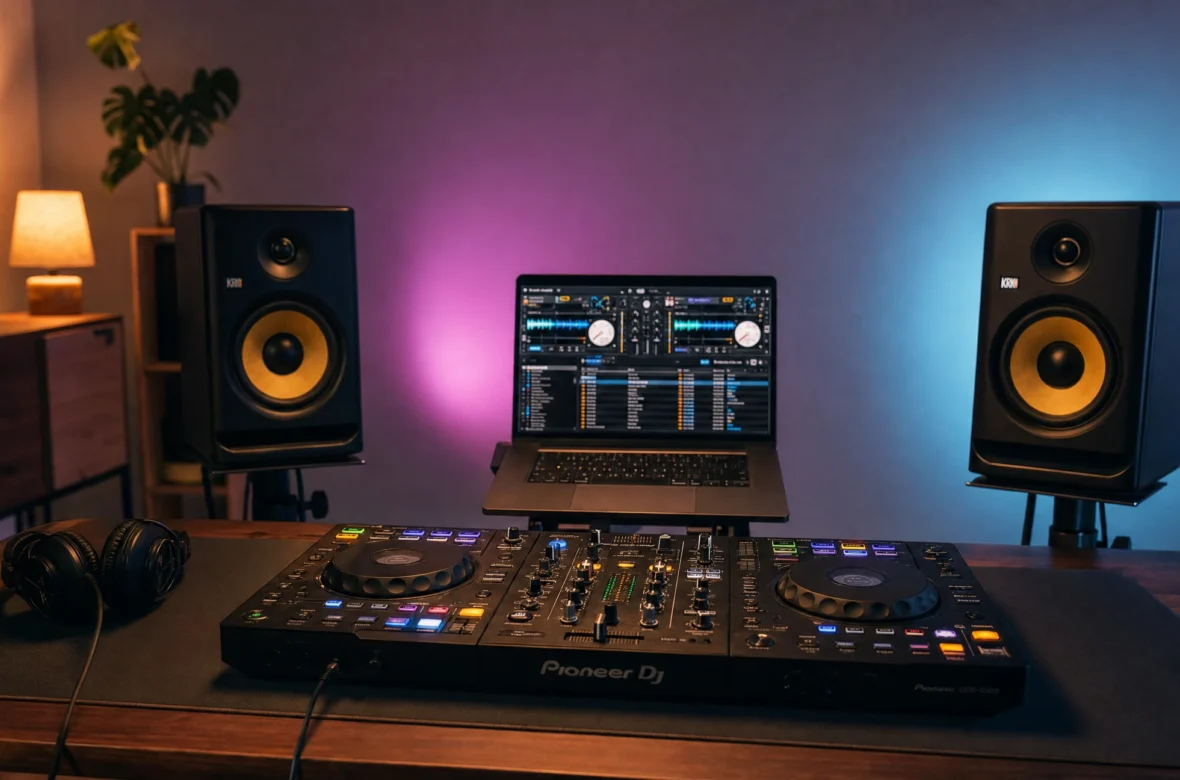
A complete home DJ setup needs just four things: a DJ controller, a laptop running free DJ software, a pair of DJ headphones, and somewhere to hear your master mix (headphones alone are fine to start; powered speakers are a nice upgrade). That’s it. You don’t need expensive gear, a mixer, turntables, or speakers to begin — skills matter far more than equipment. Here’s the full breakdown.
The Four Essentials
1. A DJ Controller
The heart of your setup and the piece you’ll have the most hands-on time with. A controller is an all-in-one box — two jog wheels, a mixer in the middle, EQ, faders, and performance pads — that plugs into your laptop via USB. For a beginner, a two-channel controller is all you need, and it teaches every fundamental that transfers to club gear later. Don’t overspend here. For specific picks across budgets, see my guide to the best DJ controllers for beginners.
2. A Laptop + DJ Software
Your laptop is the brain — it stores your music and runs the software. You don’t need a powerhouse; a mid-range machine is plenty. Sensible specs to aim for:
- Processor: Intel i5 / AMD Ryzen 5 or better
- RAM: 8GB minimum, 16GB comfortable
- Storage: an SSD (256GB+) — faster and more reliable than a hard drive
- OS: a current version of Windows or macOS
The software is free to start: your controller will ship with rekordbox or Serato DJ Lite, both of which cost nothing and do everything a beginner needs. Just use whichever your controller is built for — my rekordbox vs Serato guide covers the choice if you’re curious, but don’t agonise over it.
3. DJ Headphones
Non-negotiable. Headphones are how you cue and beatmatch the next track before the crowd hears it. Look for a closed-back design (for isolation), swivel ear cups (for one-ear monitoring), and a punchy low-end. You don’t need to spend big — see my picks in the best DJ headphones for beginners guide.
4. A Way to Hear Your Master Mix
Here’s where beginners over-buy. You do not need speakers to start — you can learn entirely through your headphones, since the controller routes the master mix to them. Speakers are a lovely upgrade when you’re ready, but optional at first. If you do add them, go for powered studio monitors. The full reasoning is in do you need speakers to start DJing, and when you’re ready to wire them up, how to connect a DJ controller to speakers walks through it.
What You DON’T Need (Yet)
Just as important as what to buy is what to skip. As a beginner, you do not need:
- A separate mixer — your controller has one built in.
- Turntables or CDJs — controllers teach the same skills for a fraction of the cost.
- A big PA system — overkill for a bedroom, and venues provide their own.
- An external audio interface — your controller is your sound card.
- A microphone — only if you plan to talk to a crowd, which is a later concern.
Resist the gear rabbit hole. As MasterClass notes, a controller plus a laptop replaces a whole stack of separate equipment — that’s the beauty of starting in 2026.
How It All Connects
The setup itself is simple — three connections:
- Controller → laptop via USB (carries data and power).
- Controller’s master output → speakers (if you have them), via RCA.
- Headphones → controller’s headphone jack.
Then set your software’s audio output to the controller’s sound card, and you’re ready. Full step-by-step in the connecting guide.
Set Up a Space You’ll Actually Use
This tip matters more than any piece of gear: set up somewhere you can leave everything plugged in. A dedicated corner you can sit down at and play instantly beats a controller you have to unpack every time — that friction is what kills practice habits before they form. A small desk, controller and laptop ready, headphones on a hook, speakers (if any) at ear height. Make starting frictionless and you’ll practise far more.
A Sensible Order to Buy In
- Start: controller + your existing laptop + headphones. (You can begin with literally this.)
- Soon after: a proper pair of DJ headphones if you only had everyday ones.
- When ready: powered studio monitors, once you want to feel your mixes out loud.
- Later / if gigging: a USB drive for club CDJs, a portable PA only if you play systems-free venues.
A Note From NaJade
My first setup was a controller, my existing laptop, and a pair of headphones — that’s genuinely all it was, and it was enough to learn everything that matters. I added monitors much later. Looking back, the thing that made the biggest difference wasn’t any upgrade; it was setting up in a corner of my room where I could just sit down and play without unpacking anything. That removed every excuse. Build the simplest setup you can today, put it somewhere you’ll use it, and start. The gear is never what’s holding anyone back — it’s the practice, and the practice only happens if starting is easy.
Once your rig is built, follow the full skills path in my guide to how to learn to DJ, starting with how to beatmatch. And if you’d like a guided start, my DJ lessons run in person in Bangkok or online over Zoom — we can even work on whatever gear you’ve already got.
Frequently Asked Questions About Home DJ Setups
What do I need for a home DJ setup?
How much does a beginner DJ setup cost?
What laptop do I need for DJing?
Do I need speakers for a home DJ setup?
Do I need a mixer if I have a controller?
Where should I set up my DJ gear at home?
About the Author
NaJade is a Bangkok-based DJ playing progressive house, melodic EDM, pop, and Thai music across clubs, rooftops, and weddings in Thailand. He teaches beatmatching and mixing to beginners both in person in Bangkok and online over Zoom. When he’s not behind the decks, he’s documenting the journey on YouTube, Instagram, and TikTok.