
By NaJade · DJ in Bangkok · Published September 29, 2026
This guide is part of DJ headphones explained: the complete guide.
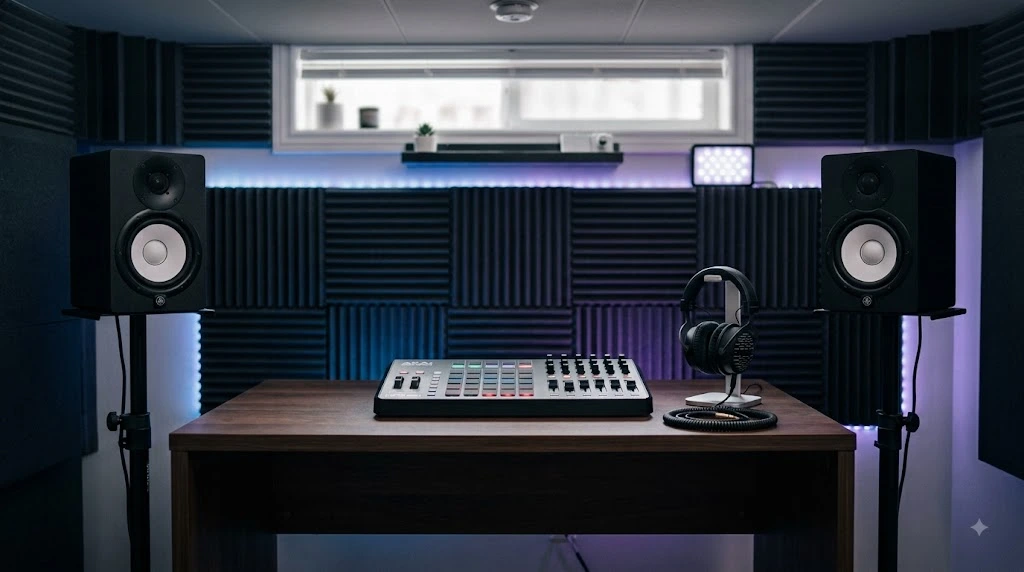
Mixing only on headphones teaches you habits that fall apart on a real system. Here’s what monitors actually do for a DJ, which pair to buy, and how to place them in a normal room.
Most DJs buy headphones and stop, and I understand why — headphones are portable, cheap, and don’t annoy the neighbours. But if you only ever mix in headphones, you’re learning a version of your music that doesn’t exist anywhere else. Blends that sound tight on your head can smear in a room. Bass that seems huge in a cup can vanish through speakers. And crucially, you never learn how a transition feels in air, which is the thing a dancefloor actually experiences. Monitors are how you fix that. This guide covers what they do for a DJ specifically, the affordable pairs worth buying, and how to set them up in a bedroom rather than a treated studio.
Studio monitors are near-field speakers designed to tell you the truth rather than flatter your music. For DJs they teach how blends and bass behave in a room, which headphones can’t. A 5-inch pair is the sweet spot for a bedroom: the Yamaha HS5 is the flat, honest reference; the KRK Rokit 5 G5 is the more flattering, bass-friendly option with room-correction DSP. Both land around $350–400 a pair. Placement matters more than the badge.
What Monitors Actually Do for a DJ
- They show you how blends behave in air. Two tracks that sit neatly in headphones can clash in a room, because reflections and phase change what you hear. Monitors surface that before a crowd does.
- They teach you bass. Headphones put low frequencies directly into your ears; speakers put them in a room where they build up and cancel. Learning that difference is the single biggest step toward mixes that translate.
- They save your hearing. Hours of one-ear monitoring at club volume is how DJs lose their ears. Practising on speakers at sane levels genuinely protects your career.
- They make prep faster. Auditioning tracks and setting cue points is quicker and less fatiguing over speakers than in headphones.
- They’re essential if you produce. Any mix decision — EQ, compression, arrangement — needs a flat reference. Headphones alone will mislead you.
The Pairs Worth Buying
| Monitor | Rough price (pair) | Character | Best for |
|---|---|---|---|
| Yamaha HS5 | ~$400 | Flat, clinical, unflattering | Honest reference; mixing and mastering |
| KRK Rokit 5 G5 | ~$400 | Fuller low end; DSP room presets | EDM and hip-hop; imperfect rooms |
| KRK Rokit 5 G4 | Often discounted | Scooped lows, crisp top | Value buy if you find stock |
| JBL 305P MkII | ~$300+ | Wide sweet spot, limited low end | Tightest budgets |
| Yamaha HS7 / Rokit 7 | Higher | More low-end extension | Larger rooms only |
Prices move constantly and monitors are almost always sold as singles or pairs at different prices — check carefully which you’re buying. Full guides: KRK Rokit and Yamaha HS5.
The Real Choice: Flat or Flattering
Yamaha HS5 — the honest one
Descended from the legendary NS10, the HS5 is deliberately flat and unflattering. It reveals flaws rather than smoothing them, which is exactly what you want when making decisions and slightly miserable when you just want to enjoy a track. It’s brighter than the Rokit and rear-ported. If your goal is mixes that translate — to a club, a car, a phone — this is the more reliable reference. Full Yamaha HS5 guide.
KRK Rokit 5 G5 — the flexible one
The Rokit has a fuller, more engaging voicing with more low-end presence, front-ported for punch, and the G5 generation adds DSP with three voicing modes and 25 EQ combinations plus a room-correction app — genuinely useful if you’re mixing in a bedroom with parallel walls and no treatment, which describes almost everyone. It’s the more fun listen and the better fit for bass-heavy electronic music. Full KRK Rokit guide.
Which one for a DJ?
If you’re purely DJing — auditioning tracks, practising blends, learning how bass sits in a room — the Rokit is arguably the better companion, because its DSP compensates for a bad room and its low end reflects what a club system does. If you’re producing, or you want one honest reference that never lies to you, take the HS5. Neither is a mistake, and both beat headphones alone by a mile.
Setting Them Up in a Normal Room
This matters more than which pair you buy. Badly placed expensive monitors sound worse than well-placed cheap ones.
- Tweeters at ear height. Not on the desk pointing at your chest. Stands or isolation pads that lift and tilt them are the cheapest meaningful upgrade you can make.
- Form an equilateral triangle. The distance between the two speakers should roughly equal the distance from each speaker to your head.
- Decouple them from the surface. Foam isolation pads stop desk vibration muddying the low end — a genuine, audible improvement for very little money.
- Pull them off the wall. Rear-ported monitors like the HS5 especially need breathing room, or the bass builds up and lies to you. A few inches helps; more is better.
- Avoid corners and symmetry problems. Corners exaggerate bass badly. Aim for the speakers to be equidistant from the side walls, with you in the middle.
- Then use the controls. The HS5’s Room Control and the Rokit’s DSP presets exist for exactly this — set them after you’ve placed the speakers, not instead of placing them properly.
What Else You’ll Need
- The right cables. Monitors take balanced XLR or TRS. Your mixer or controller’s booth or master output determines which — check before ordering.
- Stands or pads. Budget for these from the start; they’re not optional if you want the monitors to perform.
- An honest volume habit. Mix at conversational level most of the time. Loud is exciting and makes everything sound better than it is.
- Headphones as well. Monitors don’t replace them — you still need DJ headphones for cueing, loud rooms, and late-night practice.
- Reference tracks. Three or four tracks you know intimately, played on every new setup, teach you your room faster than any measurement.
A Note From NaJade
Monitors were the upgrade that changed my practice most, and not for the reason I expected. I assumed I’d hear more detail. What actually happened is that I started hearing my transitions differently — blends I’d been proud of in headphones turned out to be muddy in the low mids, and I’d never have known. If you’re going to DJ seriously, and especially if you’re going to make music, get speakers in the room. My honest advice on spending: buy the cheaper pair and the stands, rather than the better pair on your desk. Placement beats price by a wide margin, and a $400 pair at ear height in a triangle will comfortably outperform an $800 pair sat flat on a table against a wall. Then protect your ears — practise at a volume where you could hold a conversation, save the loud for the club, and you’ll still be doing this in twenty years. The crowd responds to your selection and your timing; monitors are just how you learn to trust your own ears about both.
Read the full guides to the KRK Rokit and Yamaha HS5, or see the headphone side in my complete DJ headphones guide. Want help setting up a practice space that actually teaches you something? My DJ lessons run in person in Bangkok or online over Zoom.
Frequently Asked Questions About Studio Monitors for DJs
Do DJs need studio monitors?
KRK Rokit or Yamaha HS5 for a DJ?
What size studio monitors should I buy?
How should I position studio monitors?
Do I still need DJ headphones if I have monitors?
Can I use hi-fi speakers instead of studio monitors?
About the Author
NaJade is a Bangkok-based DJ playing progressive house, melodic EDM, pop, and Thai music across clubs, rooftops, and weddings in Thailand. He teaches beatmatching and mixing to beginners both in person in Bangkok and online over Zoom. When he’s not behind the decks, he’s documenting the journey on YouTube, Instagram, and TikTok.