
By NaJade · DJ in Bangkok · Published October 20, 2026
This guide is part of DJ mixers: the complete guide.
The players make the music. The mixer decides what the room actually hears.
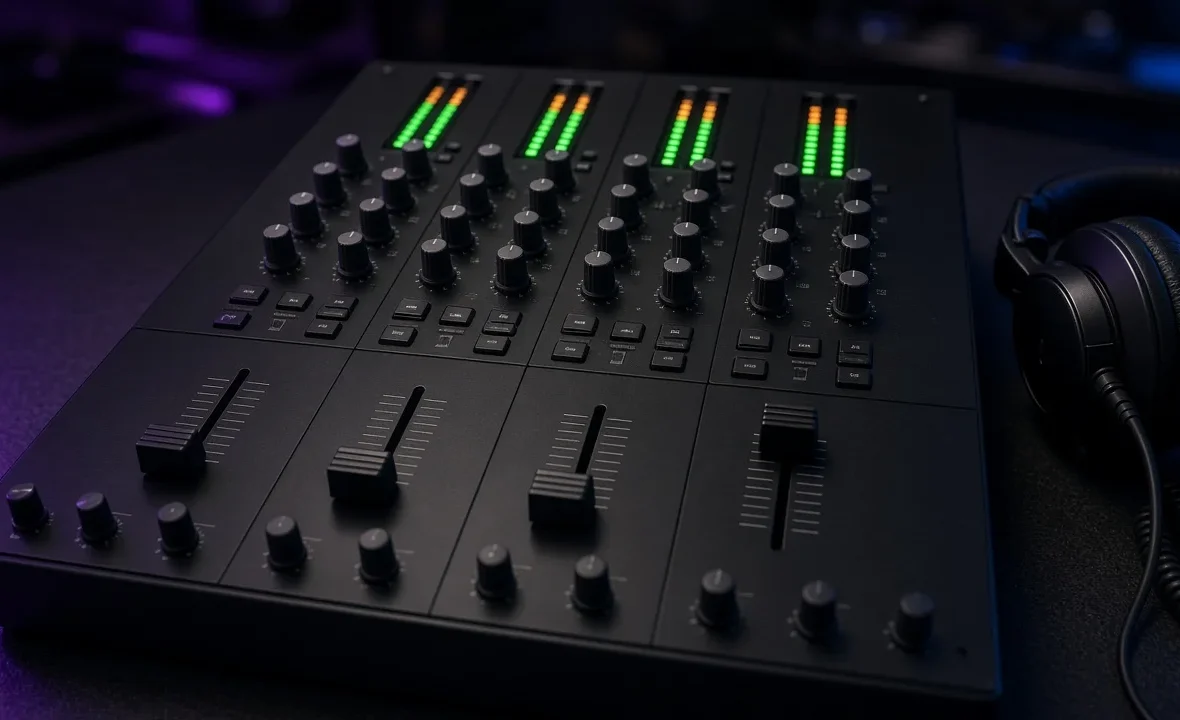
Walk into any club booth in Bangkok and the mixer in the middle looks intimidating: four channels, dozens of knobs, two sets of meters, an effects screen. But every DJ mixer — from a two-channel starter to a Pioneer DJ DJM-A9 or an Allen & Heath Xone:92 — is built from the same handful of sections. Learn what each one does, in the order the signal flows, and any mixer becomes readable in about thirty seconds.
A DJ mixer works top to bottom: set each channel’s trim so peaks sit high in the meter but never in the red, shape the sound with the EQ, blend with the channel faders, preview the next track in your headphones with the cue buttons, and use the master and booth knobs only for overall volume.
The Signal Path: Read the Mixer Top to Bottom
Each vertical strip is a channel, and each channel carries one deck. Sound enters at the top and works its way down. Once you see the mixer as a set of identical strips, it stops looking like a cockpit.
| Section | What it does | When you touch it |
|---|---|---|
| Input selector | Chooses the source: USB, digital, line or phono | Once, during setup |
| Trim / gain | Sets how loud the track enters the channel | Every new track |
| EQ (high, mid, low) | Boosts or cuts frequency bands | During every blend |
| Colour FX / filter | Sweeps the sound with a filter or effect | Transitions and build-ups |
| Cue button | Sends the channel to your headphones | While preparing the next track |
| Channel fader | Sets the channel’s volume in the mix | Every transition |
| Crossfader | Blends between the two sides of the mixer | Optional; scratch and quick cuts |
Trim and Meters: Get the Levels Right First
The trim knob is the most important control on the mixer and the one beginners ignore. Every track is mastered at a different loudness, so before a track goes live, you match its level to the one already playing.
- Press cue on the incoming channel, with its fader still down.
- Watch that channel’s meter while the loudest part of the track — usually the kick and bass — plays.
- Turn the trim until the peaks sit near the top of the green or yellow, matching the playing channel. Not in the red.
- Glance at the master meter. If it’s hitting red, bring the channel trims down, not the master up.
Red on the meter means clipping: distortion that sounds harsh on a big system and can damage speakers. Rane’s classic guide to setting mixer levels puts it simply: almost to red, but not quite. The full method is in gain staging for DJs.
EQ, Filter and Effects
Most mixers have a three-band EQ — high, mid and low — and some, like the Xone:92, have four. The EQ is how two tracks share the room without fighting. The golden rule: only one bassline at a time. When you bring in a new track, keep its low EQ cut, then swap the basses on a phrase change.
- Low: kick and bass. Swap it, don’t stack it.
- Mid: vocals, synths, snares. Cut it slightly to stop two vocals clashing.
- High: hi-hats and air. Easing it in early makes a blend feel smooth.
- Filter / Sound Colour FX: one knob that sweeps the sound darker or thinner. Great for exits, but easy to overuse.
- Beat FX: echoes, reverbs and delays synced to the tempo, chosen on the effects section and sent to one channel or the master.
More detail in how to use EQ when DJing and how to use DJ effects.
Channel Faders and the Crossfader
Most house and progressive DJs mix almost entirely on the channel faders: up-faders give finer control over a long blend than the crossfader does. A common club habit is to leave the crossfader in the middle — or switched off — and ride the faders.
The crossfader comes into its own for scratching and fast cuts. Many mixers let you change its curve: a smooth curve for gradual blends, a sharp curve that cuts in almost instantly for scratch DJs. Some, like the Xone:92, also let you change the channel fader curve. If a mix sounds like it’s jumping in volume, check the curve settings before blaming yourself.
Headphones, Master, Booth and Mic
| Control | Job | Common mistake |
|---|---|---|
| Cue mix / cue master | Blends what’s cued with the live mix in your headphones | Leaving it all the way to “cue” and losing the room |
| Headphone level | Your ears only | Turning it up to fight a loud booth |
| Master | Overall level to the PA | Using it to fix a quiet track |
| Booth | Same mix as the master, separate volume for the DJ monitors | Cranking it until you can’t hear the room |
| Mic channel | Microphone with its own level and EQ | Leaving it open while you talk to the promoter |
On a club mixer, the master level is often agreed with the sound engineer — ask before you touch it. Flagships like the DJM-A9 also add two independent headphone outputs for back-to-back sets and a push-to-talk mic button. For microphone technique, see using a microphone as a DJ.
A Note From NaJade
The first time I played a proper club mixer in Bangkok, I spent the whole set staring at the knobs I didn’t understand and ignoring the one that mattered. My levels were all over the place, and the sound engineer walked over twice to turn my master down. Nobody said anything rude, but I could feel the room flatten every time a hot track came in. These days the first thing I do in any booth is find the trims and the meters, and I keep my peaks out of the red all night. The effects can wait. A clean, steady level is what makes a set feel professional, and it costs nothing but attention. If you take one habit from this guide, make it that one.
Related: the DJM-A9 review, the Xone:92 review, how to beatmatch, and DJ booth etiquette. Official specs: Allen & Heath Xone:92.
Frequently Asked Questions
What does the trim knob do on a DJ mixer?
Should I mix with the crossfader or the channel faders?
What is the difference between master and booth output?
Why is my DJ mixer distorting?
What does the cue button do on a mixer?
What is the best DJ mixer for beginners?
About the Author
NaJade is a Bangkok-based DJ playing progressive house, melodic EDM, pop, and Thai music across clubs, rooftops, and weddings in Thailand. He teaches beatmatching and mixing to beginners both in person in Bangkok and online over Zoom. When he’s not behind the decks, he’s documenting the journey on YouTube, Instagram, and TikTok.