
By NaJade · DJ in Bangkok · Published October 27, 2026
This guide is part of how to learn to DJ: the complete guide.
The waveform is a map of the track. Learn to read it and the drop never surprises you again.
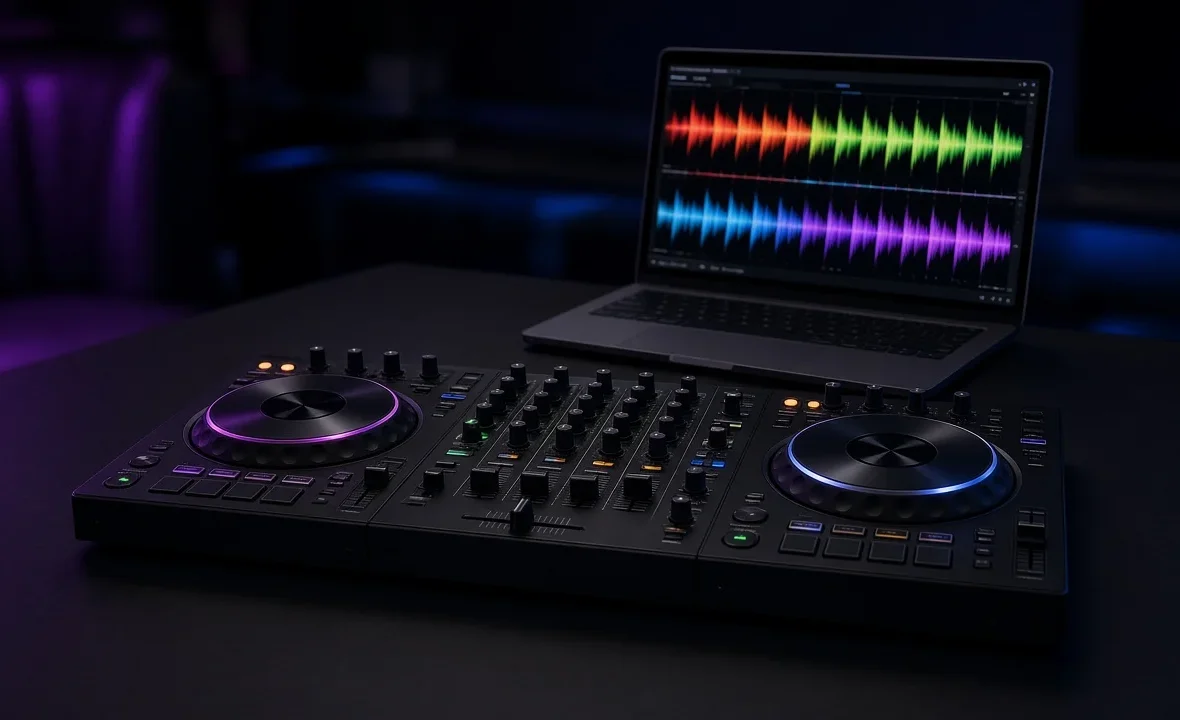
Every DJ app and every modern player draws the music as a waveform — that coloured, jagged strip scrolling across the screen. Beginners usually treat it as decoration and mix purely by ear. That’s a good instinct, but it leaves information on the table. A waveform tells you where the kick drops out, where the bass comes back, how long the breakdown lasts and where the next phrase starts — before you hear any of it. Reading it well is one of the fastest upgrades a new DJ can make.
To read a DJ waveform, look at three things: height (loudness — tall means busy and loud, thin means quiet), colour (frequency — warm or dark colours are bass, cool or bright colours are highs), and shape over time (dense blocks are drops, thin stretches are breakdowns). Use the overview to find sections and the zoomed view to time your mix.
The Two Waveforms on Your Screen
Almost every setup shows the same track twice, and they do different jobs.
- The overview (or preview) waveform shows the whole track, start to finish, in one strip. This is your map: intro, breakdowns, drops and outro are all visible at a glance. Use it to see how much time you have left and what’s coming.
- The zoomed (scrolling) waveform shows a few bars around the playhead, moving in real time. This is your microscope: individual kicks, snare hits and transients. Use it to line up beats, check your beat grid and drop in on the one.
A good habit: glance at the overview to decide when to mix, then watch the zoomed view to decide exactly where.
What the Colours Mean
Colour shows frequency content. The exact palette depends on the software and the display mode you pick, but the logic is the same everywhere: one end of the palette is bass, the other is treble.
| Display style | Bass (kick, sub) | Mids (vocals, synths) | Highs (hats, cymbals) |
|---|---|---|---|
| RGB (rekordbox RGB, Serato default) | Red / warm tones | Green | Blue |
| rekordbox 3Band | Dark blue | Amber / orange | White |
| rekordbox Blue | Deeper blue | Lighter blue | White-ish highlights |
You don’t need to memorise every mode. Pick one, stick with it, and your eye learns it within a week. Most club DJs I know prefer the 3Band or RGB views because bass is easy to separate from everything else, which matters when you’re deciding whether two kicks are about to clash. You can switch modes in rekordbox’s preferences — AlphaTheta’s official rekordbox tutorials walk through the options.
Reading the Shape: Intros, Drops and Breakdowns
Height shows loudness and density. Combined with colour, the shape tells you the structure of the track.
| What you see | What it usually is | What to do |
|---|---|---|
| Thin, regular spikes at the start | Drum-only intro | Ideal place to mix in |
| Wide, dense block with lots of bass colour | The drop or main groove | Avoid stacking two of these at full EQ |
| Sudden thinning, bass colour disappears | Breakdown | Count it — the drop returns on a phrase |
| Gradually rising height | Build-up or riser | Get your next move ready |
| Thin spikes at the end | Drum-only outro | Ideal place to mix out |
Dance music is built in phrases of 8, 16 and 32 bars, and the waveform makes those blocks visible. When a section changes shape, it almost always does so on a phrase boundary. That’s why reading waveforms and counting bars and phrases go together: the waveform shows you the boundary, counting confirms it.
Using Waveforms to Mix Better
- Find the mix-in point. On the incoming track’s overview, find where the intro ends and the first big block starts. Set a hot cue a phrase before it.
- Check the outgoing track. How many phrases until it thins into its outro or a breakdown? That’s your window.
- Line up the blocks. Aim for the incoming track’s drop to land as the outgoing track’s energy drops away. Visually, one dense block hands over to the next.
- Watch the bass colour. If both waveforms are full of bass colour at the same moment, cut the low EQ on one of them. More on that in how to use EQ when DJing.
- Confirm by ear. The waveform is a guide, not a replacement. If it looks right and sounds wrong, trust your ears.
Stacked waveforms (one above the other) also help with beatmatching: if the kick spikes on both decks line up and stay lined up, your tempos match.
When Waveforms Lie to You
- Loudly mastered tracks look like one solid brick. Modern masters can be so compressed the drop barely looks different from the groove. Lean on colour changes, not height.
- Bad analysis means a misleading picture. Low-quality files or wrong grids distort what you see. Re-analyse, and use good files — see the best audio format for DJing.
- Vocals hide in the mids. A waveform won’t tell you two vocals are about to clash. Only listening — and knowing your tracks — will.
Serato draws its waveforms on the same frequency-colour principle; the Serato DJ site and the Serato DJ review cover its display options.
A Note From NaJade
When I started, I mixed staring at the screen and wondered why my transitions felt mechanical. Then I went the other way and refused to look at all, which was worse — I kept getting caught by breakdowns I’d forgotten about. The balance I’ve landed on is simple: the waveform tells me where I am, my ears tell me if it’s working. In a dark Bangkok booth with the crowd in front of me, I glance down maybe once a phrase. That’s enough to know a breakdown is sixteen bars away and to have the next track ready. If you’re learning, spend a week with one colour mode and just watch tracks you know well. You’ll start to see the music before you hear it.
Related: counting bars and phrases, DJ transition techniques, the rekordbox review, and how to practise DJing.
Frequently Asked Questions
What do the colours on a DJ waveform mean?
How do you see a drop on a waveform?
Should beginners mix by looking at waveforms?
What is the difference between the overview and zoomed waveform?
Which rekordbox waveform colour mode is best?
Why does my track look like a solid block?
About the Author
NaJade is a Bangkok-based DJ playing progressive house, melodic EDM, pop, and Thai music across clubs, rooftops, and weddings in Thailand. He teaches beatmatching and mixing to beginners both in person in Bangkok and online over Zoom. When he’s not behind the decks, he’s documenting the journey on YouTube, Instagram, and TikTok.