
By NaJade · DJ in Bangkok · Published November 7, 2026
This guide is part of DJ mixers: the complete guide.
Those two jacks on the back of the mixer you’ve never plugged anything into? They open a whole new box of sounds.
Built-in effects are great, but every DJ eventually hears a dub echo, a spring reverb or a guitar pedal on someone else’s set and wonders how they did it. The answer is usually the mixer’s send and return. It lets you route audio out to any external effect and bring it back into the mix. It sounds technical. It’s actually two cables and a bit of level discipline.
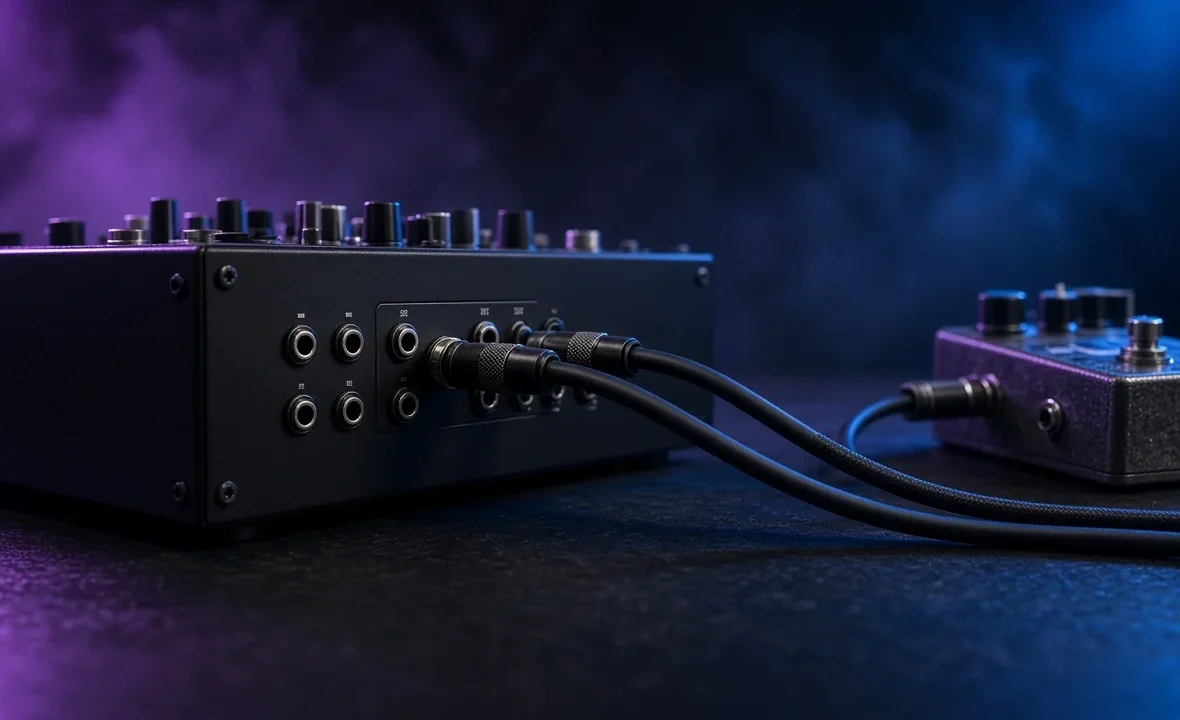
Send and return is an effects loop: the mixer sends a copy of your audio out to an external effect, and the processed signal comes back through the return to be mixed in. Connect mixer SEND to the effect’s input and the effect’s output to RETURN, set the effect fully wet, then control the amount from the mixer.
What Send and Return Actually Does
An effects unit needs audio going in and audio coming out. On a DJ mixer, the SEND output carries your music out to that unit, and the RETURN input brings the processed version back. Together they form a loop.
The key idea is that the original (“dry”) signal can keep flowing while the effected (“wet”) signal is added on top. That’s what makes echoes trail off naturally after you’ve moved on, and why a classic send is so good for delay and reverb. It’s the same concept used in studio and live-sound desks, borrowed for the DJ booth.
Send/Return vs Insert
Not every DJ mixer implements this the same way, and the difference matters:
| Type | How the audio flows | Best for |
|---|---|---|
| Aux send / return | A copy goes out; dry signal keeps playing; wet is added back | Delay, reverb, echo tails, dub techniques |
| Insert | The whole channel passes through the effect and back | Filters, distortion, EQ, anything that replaces the sound |
| Built-in send FX | The mixer has its own send-style effects section | Quick results with no extra gear |
On many Pioneer DJ / AlphaTheta mixers, the external send and return is switched in from the Sound Color FX section, and depending on the model and settings it can behave more like an insert than a classic aux send — which is exactly why some DJs look for workarounds to get a “true” send, as in the video below. Check your mixer’s manual; AlphaTheta’s DJM-900NXS2 manual page is a good example of where to look. Our DJM-900NXS2 review and DJM-V10 review cover each mixer’s effects sections, and Allen & Heath’s Xone mixers have long been favoured for their flexible FX loop — see the Xone:92 review.
How to Connect an External Effect
- Check the jacks. Look at the back panel. Most club mixers use 1/4-inch (6.35 mm) jacks for send and return; some use RCA. Note whether they’re mono or stereo.
- Mixer SEND → effect INPUT. Use the right cable for both ends. Our guide to DJ cables covers TS, TRS and RCA.
- Effect OUTPUT → mixer RETURN. Stereo effects need two cables (left and right) back into a stereo return.
- Set the effect to 100% wet if your mixer works as a true send, so the mixer blends dry and wet. If it works as an insert, set the effect’s own mix knob instead.
- Select send/return on the mixer and choose which channel feeds it.
- Start with everything low, then bring the send up slowly while a track plays.
Setting Levels Without Noise or Feedback
Most problems with external effects are level problems. Pedals built for guitars expect a much quieter signal than a DJ mixer puts out, so they distort easily. Turn the send down until the effect’s input stops clipping, then make up the level on the return. If you hear hum, it’s often a ground issue: plug the effect into the same power strip as the mixer and keep audio cables away from power cables.
Watch out for feedback. If the return is routed back into the same send — for example by returning into a channel that also feeds the effect — you’ll get a howling loop that can damage speakers. Return into the dedicated RETURN jack, or into a spare channel that is not sending to the effect. The same gain staging rules you use for your channels apply here.
What to Plug In
- Delay and echo pedals — the classic dub and techno sound, with tails that fade out after the source track stops.
- Reverb units — huge washes for breakdowns and endings.
- Multi-effects boxes and samplers — performance pads, loopers and filters.
- A laptop or audio interface — route into software effects for endless options, accepting a little latency.
Before buying anything, learn what your built-in effects can do — see how to use DJ effects. External gear is a sound choice, not a shortcut to better mixing.
A Note From NaJade
The first time I tried a delay pedal on a Bangkok club mixer, I plugged it in, turned everything up and nearly blew the monitors with feedback before the first track had even dropped. The sound engineer was not impressed. What I learned that night: bring the send up from zero, return into the right jack, and do it during soundcheck, not in the middle of a set. These days a small delay is one of my favourite tools for transitions, especially on progressive house breakdowns, because the echo can carry the last phrase of one track while the next one fades in. Used lightly, it’s beautiful. Used heavily, it’s just noise.
Related: DJ mixers guide, how to use a DJ mixer, how to use DJ effects, and DJ cables explained.
Frequently Asked Questions
What is send and return on a DJ mixer?
What is the difference between send/return and insert?
How do I connect a guitar pedal to a DJ mixer?
Why does my external effect sound distorted?
Should the effect be set to 100% wet?
Which DJ mixers have send and return?
About the Author
NaJade is a Bangkok-based DJ playing progressive house, melodic EDM, pop, and Thai music across clubs, rooftops, and weddings in Thailand. He teaches beatmatching and mixing to beginners both in person in Bangkok and online over Zoom. When he’s not behind the decks, he’s documenting the journey on YouTube, Instagram, and TikTok.