
By NaJade · DJ in Bangkok · Published September 29, 2026
This guide is part of how to learn to DJ: the complete guide.
Your first time on club gear doesn’t have to be terrifying. If you can mix on a controller, you already know most of this — the rest is preparation you do at home.
Walking up to a pair of CDJs for the first time is intimidating. They’re expensive, they’re in a booth with a crowd watching, and nothing about them looks like the controller you practised on. Here’s the reassuring part: if you can DJ on a controller, you already know the vast majority of what you need. Track loading, tempo, cues, loops, EQ — the same concepts, laid out differently. The genuinely new part is preparing your music on a USB drive, and that happens at home, calmly, days before the gig. Here’s the whole process.
CDJs play music from a USB drive you prepare in rekordbox’s export mode. Analyse your tracks, set hot cues and memory cues, build playlists, and export — allowing plenty of time, because it’s slow. Bring two drives. At the venue, plug in, press Link so every player can see your library, and mix exactly as you would on a controller.
What You’ll Find in the Booth
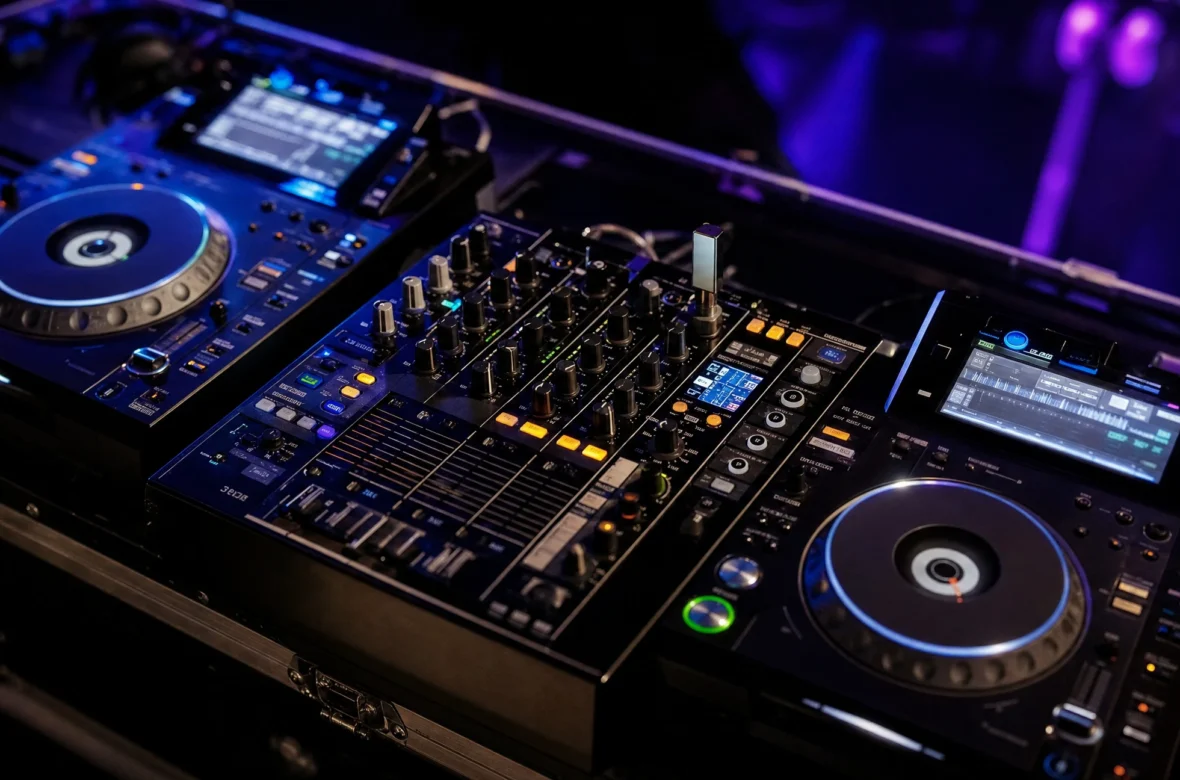
Pioneer DJ — now AlphaTheta — has been the club standard since the CDJ-1000 arrived in the early 2000s. The classic professional setup is two CDJ-3000s (or the older CDJ-2000NXS2) either side of a DJM-900NXS2 or DJM-V10 mixer. Learn it once and you can walk into most club booths in the world.
| Setup | Where you’ll find it | What changes |
|---|---|---|
| CDJ-3000 + DJM mixer | Most clubs and festivals | The standard; everything below is a variation |
| CDJ-2000NXS2 + DJM | Many venues still | Older screens, same workflow |
| All-in-one (XDJ-RX3) | Smaller clubs, bars, events | One unit, identical USB workflow |
| Denon SC6000 | Some venues | Different ecosystem — check before you go |
Always ask the venue what’s in the booth before you prepare. More on the gear itself in my XDJ-RX3 review and Denon SC6000 review.
Preparing Your USB (At Home)
- Use rekordbox in Export mode. The free version covers this. You can drag files straight onto a USB, but you’ll lose analysis, cues and most of what makes CDJs useful.
- Import and let it analyse. Analysis writes the beat grid, BPM and key. Without accurate analysis, loops drift and cues land in the wrong place.
- Check your grids. Especially on tracks with live drums or unusual intros — see organising your library.
- Set hot cues and memory cues. They’re saved to the USB and appear on the CDJs automatically — see what are hot cues.
- Build playlists for the gig, organised however you’ll want to find things under pressure.
- Export — and allow real time. Exporting is slow. Give it hours, not minutes, and don’t leave it until the day.
- Export to two drives. USB drives fail. A second one means you swap and carry on.
At the Venue
- Plug your USB into one player. Your library appears on that deck.
- Press Link on the other player to see the same drive across the network. If Link doesn’t find it, ask the engineer — the players need to be connected by network cable.
- Select your source, find your playlist, use the rotary selector or touchscreen to choose a track, and press Load.
- Cue works the same as on a controller. So do hot cues, loops and pitch.
- The mixer does EQ, filters and effects — the DJM’s Colour FX are worth learning before you arrive.
- Set your gain properly before the first track — see gain staging for DJs.
Getting Comfortable First
The single best thing you can do is practise on real CDJs before your first gig. Many cities have rehearsal studios that rent CDJ setups by the hour — an hour in one removes almost all the anxiety. If that isn’t available, an all-in-one like the XDJ-RX3 uses the same USB workflow at home.
A Note From NaJade
My first time on CDJs, I spent the first ten minutes convinced I’d forget how to do everything, and then realised I was doing exactly what I did at home on different buttons. That’s the experience almost everyone has. The nerves are about unfamiliarity, not difficulty — which is why the fix is so simple: get your hands on a set before it matters. The mistake I see most often isn’t anything in the booth; it’s the USB. People export the afternoon of the gig, something goes wrong, and they arrive with half a library or no hot cues. Do your prep days early, check it plays, bring a second drive, and the actual CDJs become the easy part. And ask the engineer anything. They’d much rather explain the Link button than watch you struggle with it in front of a full room.
Related: XDJ-RX3 review, what to bring to a DJ gig, should DJs use sync, and Pioneer DJ controllers.
Frequently Asked Questions
How do you use CDJs for the first time?
Is it hard to switch from a controller to CDJs?
How do you put music on a USB for CDJs?
What does the Link button do on CDJs?
What is the standard club DJ setup?
How many USB drives should I bring to a CDJ gig?
About the Author
NaJade is a Bangkok-based DJ playing progressive house, melodic EDM, pop, and Thai music across clubs, rooftops, and weddings in Thailand. He teaches beatmatching and mixing to beginners both in person in Bangkok and online over Zoom. When he’s not behind the decks, he’s documenting the journey on YouTube, Instagram, and TikTok.