
By NaJade · DJ in Bangkok · Published November 4, 2026
This guide is part of DJ mixers: the complete guide.
The thin network cable behind every club CDJ is doing more work than most DJs realise.
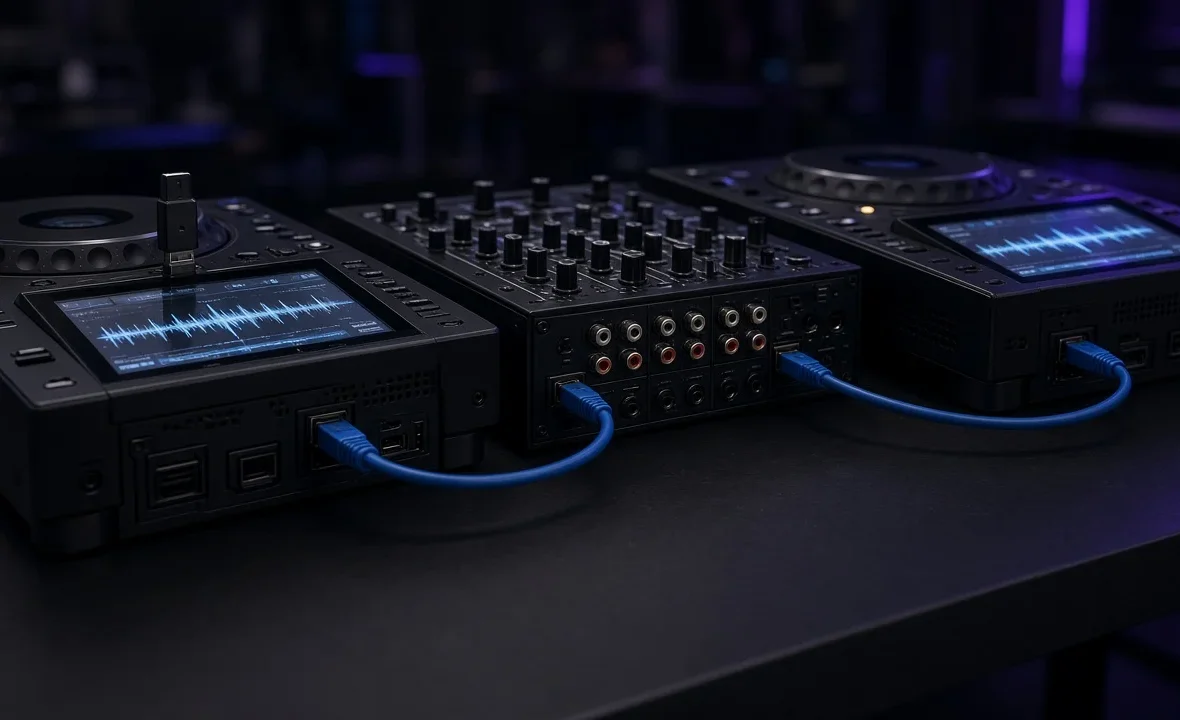
Pro DJ Link is the networking system that lets AlphaTheta (Pioneer DJ) players, mixers and rekordbox talk to each other over a LAN cable or Wi-Fi. It is why one USB in one player can feed the whole booth, why sync works between decks, and why the jog ring glows red on the channel that is live. If it is cabled badly, a lot of the features you rely on quietly stop working — so it is worth understanding what it does before you walk into a booth.
Pro DJ Link is AlphaTheta’s network for DJ gear. Connect compatible players, a mixer with LAN ports and optionally a laptop or phone running rekordbox through a switching hub or router with CAT5e cables, and they share USB libraries, beat sync, quantize and on-air status. Up to six current players can be linked.
What Pro DJ Link Actually Does
According to AlphaTheta’s own Pro DJ Link setup guide, the network carries a long list of features:
| Feature | What it does in the booth |
|---|---|
| USB/SD export sharing | One USB in one player is browsable from every linked player |
| Beat sync | Players lock tempo and beat phase to the master deck |
| Quantize | Loops, hot cues and Beat FX snap in time with the playing track |
| On-air display | The jog ring shows which channel is up on the mixer |
| Link Export | Play tracks directly from rekordbox on a laptop or phone, without a USB |
| Key sync / traffic light | Key matching and harmonic hints, where every linked player supports it |
| Pro DJ Link lighting | Sends phrase data to rekordbox Lighting mode for synced lights |
Beat FX on the mixer also read the master tempo over the link, which is why delays land in time without tapping. More on that in what quantize does and should DJs use sync.
How Many Players Can You Link?
Up to six Pro DJ Link players can be connected, but players released before 2019 are limited to four. Music on CD or DVD can’t be shared across the link. The original system arrived with the CDJ-2000 and CDJ-900 generation; the CDJ-3000 and newer players added more link features and higher player counts.
How to Cable a Pro DJ Link Setup
- Use CAT5e or better LAN cables for every connection.
- Connect each player to the mixer’s LAN ports if the mixer has a built-in hub — many club mixers, including the DJM-A9 and DJM-900NXS2, do. Otherwise use a switching hub or a router with a built-in switch.
- Add a laptop or phone running rekordbox to the same network if you want Link Export or Lighting.
- Give each player a unique player number — the link uses them to tell decks apart.
- Don’t create loops in the hub, and in big venues with more than one system, give each system its own router.
A single player connected to a laptop still needs a LAN cable; there’s nothing to link to without one. For a wider tour of booth wiring, see DJ cables explained.
Link Export vs USB Export
| Method | How it works | Best for |
|---|---|---|
| USB export | Tracks and analysis written to a stick, then shared over the link | Club gigs, reliability, quick changeovers |
| Link Export | rekordbox on a laptop or phone streams files to the players live | Home studios, last-minute requests, big libraries |
Most working DJs treat USB as the default and Link Export as a convenience. A stick has no battery, no Wi-Fi to drop and no operating system to update mid-set. If you play off USB, get the export right first — see how to export rekordbox to USB.
Troubleshooting a Link That Won’t Connect
- Two players show the same number: change one in the player’s settings.
- A deck can’t see the other USB: check its LAN cable is in the mixer’s LINK port, not an unrelated socket.
- rekordbox shows no LINK button: put the laptop on the same wired network as the players; mixing Wi-Fi and wired devices across different networks is a common cause.
- Random dropouts: swap the cable, then the hub port. Cheap, damaged cables are the usual suspect.
- Mixed generations: features like key sync only work when every linked player supports them.
Before a gig, a thirty-second check — load a track from your USB on the opposite deck — tells you the link is working. More on booth routine in how to use CDJs and how to do a DJ changeover. AlphaTheta’s rekordbox compatibility page lists which players support which link features.
A Note From NaJade
I learned what Pro DJ Link does the day it stopped doing it. A changeover at a Bangkok rooftop, the previous DJ had pulled a cable to plug in a laptop, and suddenly my USB wouldn’t show on the second deck and sync was greyed out. Nothing was broken — one network cable was in the wrong socket. Thirty seconds of panic, five seconds of fixing. Now the first thing I do in any booth is load one track from my stick on the other deck. If it appears, the link is fine and I can stop thinking about it. It’s a small habit, but it means the technology stays invisible, which is exactly where it belongs.
Related: how to use CDJs, the CDJ-3000 review, exporting rekordbox to USB, and DJ lighting for beginners.
Frequently Asked Questions
What is Pro DJ Link?
How many CDJs can be linked with Pro DJ Link?
What cable do I need for Pro DJ Link?
Can I share one USB between two CDJs?
What is the difference between Link Export and USB export?
Why can’t my CDJ see the other player’s USB?
About the Author
NaJade is a Bangkok-based DJ playing progressive house, melodic EDM, pop, and Thai music across clubs, rooftops, and weddings in Thailand. He teaches beatmatching and mixing to beginners both in person in Bangkok and online over Zoom. When he’s not behind the decks, he’s documenting the journey on YouTube, Instagram, and TikTok.