
By NaJade · DJ in Bangkok · Published October 20, 2026
This guide is part of how to learn to DJ: the complete guide.
A live stream is a gig where the crowd can leave with one click. Sound is what keeps them.
Streaming is one of the best ways for a new DJ to build an audience without waiting for a club to say yes. The tech is cheaper than ever — a laptop, a phone and free software will get you live tonight. The two things that actually decide whether a stream works are clean audio and choosing a platform that won’t mute you for copyright. Get those right and everything else is polish.
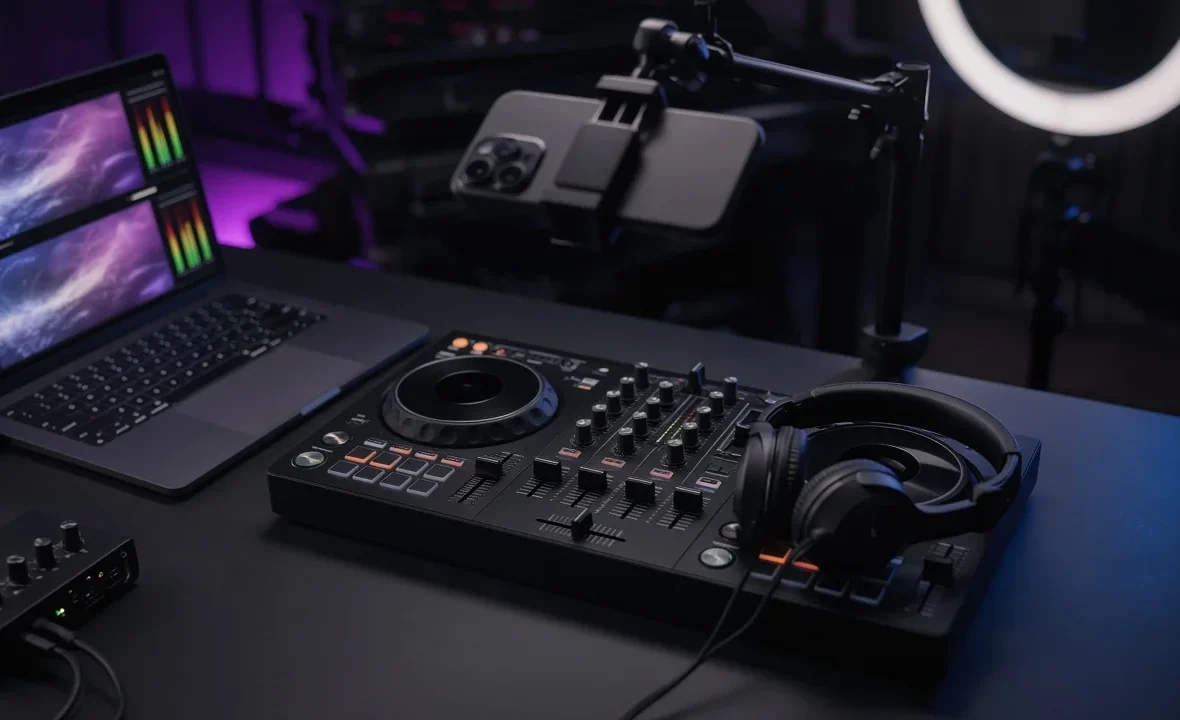
To live stream a DJ set, send your mixer’s master output into your computer through an audio interface or the controller’s built-in sound card, add a camera, and use OBS Studio to combine them and stream to your platform. Watch your levels, and pick a platform with a music licensing deal, such as the Twitch DJ Program, to avoid takedowns.
What You Need
| Item | Budget option | Upgrade |
|---|---|---|
| Audio into the computer | Controller connected by USB (uses its built-in sound card) | Separate USB audio interface from the mixer’s booth or record out |
| Camera | Your phone as a webcam | A mirrorless camera or a 1080p webcam |
| Streaming software | OBS Studio (free) | OBS plus plugins, or a hardware encoder |
| Internet | Wired Ethernet, at least 6–10 Mbps upload | A dedicated line or a separate streaming PC |
| Lighting | A desk lamp bounced off a wall | A small LED panel and coloured background lights |
If you already record your mixes, you’re halfway there — the audio routing is the same as in how to record a DJ mix.
Step by Step: Setting Up OBS
- Install OBS Studio and run the Auto-Configuration Wizard, choosing “optimise for streaming”.
- Add your audio source. Under Sources, add an Audio Input Capture and select your controller or audio interface. Remove or mute desktop audio and your computer’s microphone so you don’t get echo or doubled sound.
- Add your camera as a Video Capture Device. Frame it so viewers can see your hands on the decks — that’s what DJ viewers want.
- Connect your account. In Settings → Stream, choose your platform and log in or paste the stream key.
- Set quality. 1080p at 30 fps around 4,500–6,000 kbps is a solid default; drop to 720p if your upload is weaker. Set audio bitrate to 160 kbps or higher.
- Do a private test. Stream or record ten minutes, then listen back on headphones and a phone speaker before going public.
Getting the Audio Right
Bad audio kills more DJ streams than bad video. A few rules:
- Use a dedicated output. Take the stream feed from the booth or record output if your mixer has one, so your master volume knob doesn’t change the stream level.
- Watch the OBS meter. Keep peaks in the yellow, around −10 to −6 dB, and never in the red. Clipping on a stream sounds terrible and you won’t hear it from the booth. See gain staging for DJs.
- Keep the mic separate. If you talk between tracks, add the mic as its own source so you can control its level. More in using a microphone as a DJ.
- Prevent dropouts. Streaming and DJ software together load your laptop. Close other apps and follow our DJ audio dropouts fix guide.
Copyright: Choosing the Right Platform
This is where most DJ streams go wrong. Playing other people’s music to the public needs a licence, and most platforms detect copyrighted tracks automatically. Rules change often, so always check the current terms before you go live.
| Platform | How it handles DJ music |
|---|---|
| Twitch (DJ Program) | A licensing deal with major labels lets enrolled DJs stream and monetise most mainstream music, with revenue shared with rights holders. VODs and clips are disabled on enrolled channels. |
| YouTube Live | Content ID can mute, block or end streams that contain copyrighted music. Riskier for full DJ sets. |
| Instagram / Facebook / TikTok Live | Automated detection can mute or end streams; better for short, casual sessions. |
| Mixcloud Live | Built for DJs, with licensing designed around DJ sets; check which plan you need. |
Twitch’s terms are on its DJ Program sign-up page, and YouTube explains its system in its Content ID help article. Playing your own productions, or tracks you have written permission to use, avoids the problem entirely. For recorded mixes after the fact, see where to upload DJ mixes legally.
A Note From NaJade
My first stream had perfect lighting and a camera angle I was proud of — and the audio was clipping the whole time, because I’d only checked the meters on my mixer, not in OBS. Twelve people watched and nobody said anything, which tells you something. Now I record a ten-minute test before every stream and listen on cheap earbuds first. Streaming won’t replace playing to a real room, but it’s a great way to practise performing, build a regular audience and give promoters something live to look at. Keep it consistent — the same day, the same time — and treat every stream like a gig.
Related: how to record a DJ mix, how to promote yourself as a DJ, how to build your DJ brand, and where to upload DJ mixes.
Frequently Asked Questions
What do I need to live stream a DJ set?
Is it legal to live stream a DJ set?
Which platform is best for streaming DJ sets?
Why does my DJ stream audio sound distorted?
Can I stream a DJ set from my phone?
What internet speed do I need to stream a DJ set?
About the Author
NaJade is a Bangkok-based DJ playing progressive house, melodic EDM, pop, and Thai music across clubs, rooftops, and weddings in Thailand. He teaches beatmatching and mixing to beginners both in person in Bangkok and online over Zoom. When he’s not behind the decks, he’s documenting the journey on YouTube, Instagram, and TikTok.