
By NaJade · DJ in Bangkok · Published September 29, 2026
This guide is part of DJ software explained: the complete guide.
The app that lets you DJ from a phone — and the one whose stem separation now genuinely leads the field. Cheap, beautiful, and more serious than its reputation suggests.
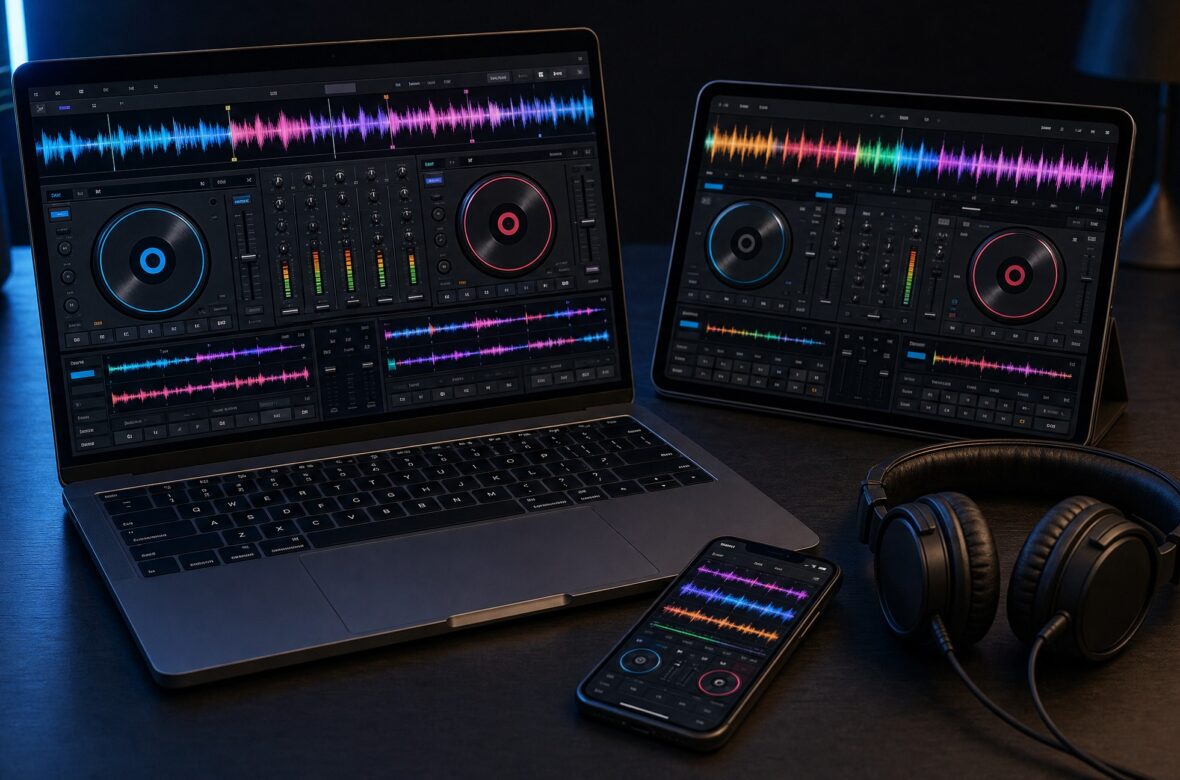
algoriddim’s djay is the outlier in DJ software, and increasingly the one to watch. It runs on almost everything — Mac, Windows, iPhone, iPad, Android, and even Apple Vision Pro and Meta Quest — costs a fraction of its rivals, and won an Apple Design Award for its interface. For years it was dismissed as “the iPad app,” but djay Pro 5 changed the conversation: its Neural Mix stem separation, rebuilt in partnership with AudioShake, is now rated by reviewers as the best in the business. For a lot of people this is the first taste of DJing, and for some it’s the only software they’ll ever need. Here’s the honest guide.
djay by algoriddim is the cheapest and most cross-platform DJ software — free to download, around $50/year for Pro, running on Mac, Windows, iPhone, iPad, Android, and VR headsets with one subscription covering all your devices. Its Neural Mix stem separation now leads the field. The catches: it’s subscription-only, hardware integration is shallower than Serato’s, and it isn’t what club booths expect.
djay at a Glance
The key facts and what they mean for you:
| Aspect | djay | What it means for you |
|---|---|---|
| Made by | algoriddim (Germany) | Apple Design Award winner for design |
| Platforms | Mac, Windows, iPhone, iPad, Android, Vision Pro, Meta Quest | Widest platform reach in DJing |
| Pricing | Free download; Pro ~$49.99/year | Cheapest serious option — one sub, all devices |
| Stems | Neural Mix v2 (AudioShake partnership) | Now rated best-in-class for separation quality |
| Decks | Four-deck mixing | Plenty for most performance styles |
| Streaming | Apple Music, TIDAL, SoundCloud, Beatport, Beatsource | Huge catalogue access from a phone |
| Hardware | 100+ MIDI controllers; DVS on desktop | Reloop units integrate best; works with CDJ+DJM |
| Extras | Automix AI, USB library export, 1,000+ loops and samples | Export playlists to drives for other systems |
(Pricing and platform support change — check the official algoriddim site before subscribing.)
Why djay Deserves a Second Look
djay carries an outdated reputation as a toy, and djay Pro 5 has largely killed it. Reviewers who once considered it behind the curve now describe its stem separation as leading the pack — the AudioShake partnership produced separation that’s both remarkably fast to analyse and clean enough to perform with. Its beat-grid detection also draws praise for handling awkward older records more accurately than bigger-name rivals. Add a genuinely beautiful interface, four-deck mixing, DVS on desktop, and a price around a fifth of a Serato licence, and the “beginner app” framing simply doesn’t hold up any more.
What’s Great About djay
One Subscription, Every Device
This is the standout value proposition. Around $50 a year — roughly $4 a month — unlocks djay Pro across your Mac, iPad, iPhone, and other supported devices simultaneously. No per-platform licence, no add-on packs. For context, that’s a fraction of what a Serato perpetual licence or a top rekordbox tier costs. You can prep on a laptop, practise on an iPad on the sofa, and mix from a phone at a friend’s place, all with the same library and settings.
Neural Mix — Now Best in Class
Neural Mix v2 isolates vocals, drums, and instruments in real time, and the current implementation is genuinely impressive — fast analysis, clean separation, and stable performance even on tablets. Crossfader Fusion builds on it with crossfader effects that blend stems, BPM changes, and FX in one move, emulating techniques like an echo-out transition or an acapella intro. If stems are central to how you want to play, this is now a serious reason to choose djay over rivals rather than despite them.
The Lowest Barrier to Starting
You can download it free and be mixing in minutes on a device you already own — no controller, no laptop, no purchase. That matters enormously: the biggest obstacle to learning to DJ isn’t talent, it’s getting started. Automix AI can beat-match automatically while you learn what good transitions sound like, and a simple portrait mode on iOS makes phone mixing genuinely fun rather than a compromise. See my beginner controller guide for the natural next step once you’re hooked.
What to Watch Out For
- Subscription only. There’s no perpetual licence — stop paying and you lose Pro features. Over a decade that adds up, though it’s still the cheapest option annually.
- Hardware integration is shallower. It supports 100+ controllers, but depth varies by brand — Reloop units integrate best. On iOS, support for Pioneer DJM mixers is limited by driver availability, which catches people out.
- MIDI mapping is clunky. Users report limited available actions, no macros, and frequent screen interaction — frustrating if you want deep custom control.
- Stems don’t work with all streaming. Neural Mix can’t be used on tracks streamed from certain services, and recording is unavailable with streamed audio — check your service before relying on it.
- Not the club standard. Booths expect a rekordbox USB. djay works well connected to a CDJ-and-DJM setup, but it’s not the prep tool clubs assume.
- Sampler limitations. Reported volume quirks and no custom samples in the looper restrict some creative workflows.
Who djay Is Really For
It’s the best entry point in DJing — ideal for complete beginners, for anyone who wants to mix on a phone or tablet, and for DJs on a tight budget who still want serious tools. It’s also compelling for stem-heavy performers given Neural Mix’s current quality, for Apple-ecosystem users, and as a cheap second platform for prep or travel. Skip it as your primary if you need deep MIDI mapping or the tightest hardware integration (Serato DJ Pro), if you’re aiming at club residencies (rekordbox for prep), or if you own Denon standalone gear (Engine DJ is free and native).
A Note From NaJade
I’d genuinely encourage anyone curious about DJing to download this before spending a single baht on gear. Being able to mix on a phone you already own removes every excuse, and the fundamentals you learn — hearing phrases, feeling energy, choosing what comes next — transfer to any platform or booth you ever stand in. What’s changed recently is that djay stopped being just a starting point: the stem separation is now legitimately excellent, and I know people playing real gigs on it. My honest caution is about the subscription and the hardware depth — if you become serious and want intricate custom mapping or club-standard prep, you’ll likely add another platform alongside it, and that’s fine. Start here, learn to read a room, and upgrade only when something specific frustrates you. The crowd has never once cared what device the music came from.
Compare all five platforms in my complete DJ software guide, or see the hardware side in the Pioneer and Denon guides. Want help learning to mix, even on a phone? My DJ lessons run in person in Bangkok or online over Zoom.
Frequently Asked Questions About djay
How much does djay Pro cost?
Can you really DJ from a phone with djay?
How good is djay’s Neural Mix stem separation?
Does djay work with DJ controllers?
Is djay good enough for professional gigs?
djay vs Serato: which should I choose?
About the Author
NaJade is a Bangkok-based DJ playing progressive house, melodic EDM, pop, and Thai music across clubs, rooftops, and weddings in Thailand. He teaches beatmatching and mixing to beginners both in person in Bangkok and online over Zoom. When he’s not behind the decks, he’s documenting the journey on YouTube, Instagram, and TikTok.