
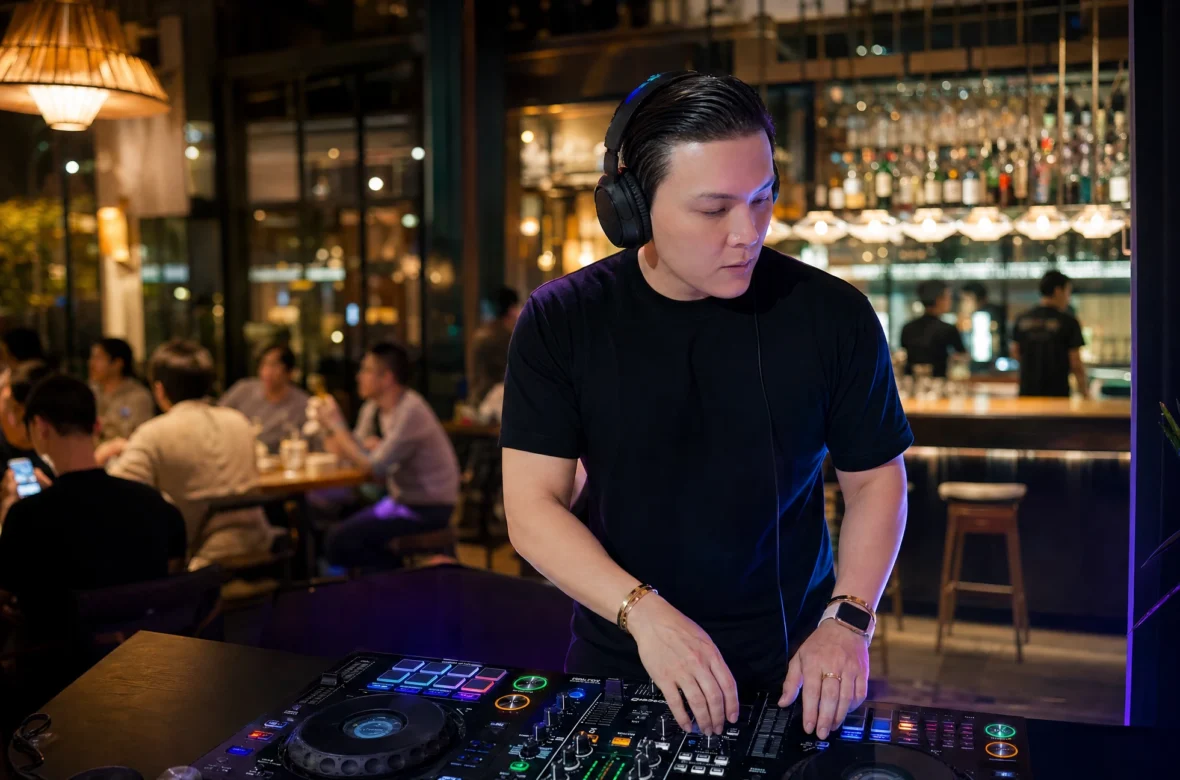
By NaJade · DJ in Bangkok · Published September 28, 2026
Match the tempo, align the beats, and make your first transition sound like one track instead of two.
When I started DJing in 2025, beatmatching was the first thing that made me feel like an actual DJ — and the first thing that completely humbled me. The good news? It’s far more learnable than it looks. If you can count to four and trust your ears, you can beatmatch. This guide walks you through exactly how, step by step.
Beatmatching is the technique of adjusting two tracks so their tempos and beats line up perfectly, letting you blend one song into the next without any clash or stumble. It’s the foundation almost every other DJ skill is built on — and the moment it clicks, mixing stops feeling like a guess and starts feeling like music.
What Is Beatmatching?
Beatmatching has two parts, and it helps to separate them in your head:
- Tempo matching — getting both tracks to the same speed, measured in BPM (beats per minute).
- Phase alignment — getting the beats to land at the same time, so the kick drum of the incoming track hits exactly with the kick of the track that’s playing.
Get both right and the two tracks lock together into a single, seamless groove. Get one wrong and you get that galloping-horses sound every new DJ knows and dreads — beats stumbling over each other, the dancefloor wincing.
Most dance music sits in predictable BPM ranges, which is why genres are easy to mix within: house and progressive house usually live around 120–130 BPM, techno around 125–135, and drum & bass up at 170–175. Starting with two tracks in a similar range makes your first attempts dramatically easier. For a deeper background on the history and theory, MasterClass has a solid overview.
Why Beatmatching Still Matters in the Age of Sync
Here’s the honest debate: modern gear has a SYNC button that beatmatches for you instantly. So why learn the manual skill?
Sync matches the beats. It doesn’t teach you to hear them. The DJs who only ever press sync hit a ceiling fast — because the moment the software reads a beat grid wrong, or a track has a live drummer, or you want to do something creative, they’re stuck. Learning to beatmatch by ear isn’t nostalgia. It’s how you learn to actually listen.
Beatmatching by ear trains the single most important muscle a DJ has: hearing tempo and phrase in real time. Once you can hear it, everything downstream — transitions, EQ mixing, reading a crowd — gets easier. Sync becomes a tool you choose to use, not a crutch you depend on.
What You Need Before You Start
You don’t need expensive gear to learn. You need:
- Two playable decks — a DJ controller, CDJs, or even DJ software with a MIDI controller. (I learned on a Pioneer XDJ-RX3, but any two-channel setup works.)
- Headphones — non-negotiable. You need to hear the incoming track privately before the crowd does.
- DJ software — rekordbox, Serato, or similar. These analyze and display each track’s BPM, which is a huge head start. (rekordbox is free to download and is what I use.)
- Two tracks with similar BPMs — ideally within ~5 BPM of each other, same genre, to start.
How to Beatmatch: Step by Step
Here’s the full process. Practice it slowly — speed comes later.
Step 1 — Choose two compatible tracks. Pick two songs in the same genre with BPMs within about 5 of each other. Similar energy, similar feel. Don’t make your first attempt a 122 BPM house track into a 174 BPM drum & bass tune.
Step 2 — Get Track A playing. Let your first track play out loud through the speakers (or master). This is your anchor — the beat you’ll match the second track to.
Step 3 — Cue Track B in your headphones. Load the second track to the other deck. Using your headphone cue, listen to only Track B in your ears while the crowd still hears Track A. Find the first beat of a bar.
Step 4 — Match the tempo. Play Track B in your headphones and compare its speed to Track A. Use the pitch/tempo fader to nudge Track B faster or slower until both tracks are running at the same BPM. If Track B is rushing ahead, slow it down; if it’s dragging, speed it up.
Step 5 — Align the phase (the beats). Same tempo isn’t enough — the beats also have to land together. Use the jog wheel to nudge Track B forward or back until its kick drum hits exactly with Track A’s kick. Touch the platter to slow it a hair; spin it forward to push it ahead.
Step 6 — Make micro-adjustments. Listen closely. Tiny drifts are normal, especially on vinyl or live recordings. Make small jog-wheel nudges to keep the beats locked. Trust your ears over your eyes.
Step 7 — Bring it in. Once both tracks are locked in tempo and phase, use your crossfader and EQ to gradually blend Track B into the mix. Cut the bass on one track as you bring up the other to avoid muddy low-end. Congratulations — that’s a beatmatched transition.
For a visual walkthrough across different gear (controllers, CDJs, and vinyl), Mixcloud’s beatmatching guide is a good companion to this one.
Common Beatmatching Mistakes (and How to Fix Them)
Every beginner makes these. I made all of them.
- Headphones too loud. Cranking the volume hides subtle timing differences instead of revealing them. Keep it moderate.
- Watching the screen instead of listening. The BPM display is a guide, not the truth. Try taping over your BPM counter and matching purely by ear — it’s the fastest way to build real skill.
- Fixing phase with the pitch fader. The pitch fader is for tempo. The jog wheel is for alignment. Mixing those up is the #1 beginner trap.
- Starting with clashing genres. Don’t fight a 20 BPM gap on day one. Build confidence with close BPMs first.
- Giving up after one session. It will feel impossible for the first few hours, then suddenly click. That click is the whole reward.
How to Practice Beatmatching Effectively
- Pick 5 tracks in the same genre and BPM range.
- Beatmatch each pair by ear with sync OFF — no shortcuts.
- Tape over the BPM counter once you’re getting comfortable, forcing your ears to do the work.
- Record yourself and listen back. You’ll hear drifts live that you missed in the moment.
- 20 minutes a day beats 3 hours once a week. Consistency builds the ear faster than marathon sessions.
A Note From NaJade
The thing nobody tells you: beatmatching is boring right up until the second it isn’t. I spent my early weeks in Bangkok convinced I’d never hear it. Then one night two progressive house tracks just locked — and I felt the floor shift under the mix. That feeling is what I’m still chasing every set.
If you want a faster path than figuring it all out alone, that’s exactly what I teach. My DJ lessons — in person in Bangkok or online over Zoom anywhere in the world — start with beatmatching and build from there, around whatever you want to play. And if you want to hear where this all leads, my first full progressive house & EDM set is here — 50 minutes of everything beatmatching makes possible.
Should You Just Use Sync?
Honest answer: sync is fine — once you understand what it’s doing. Plenty of working DJs use sync to free up their hands for creative work like EQ play, loops, and effects. There’s no shame in it. The problem is only ever relying on sync without the underlying ear, because that’s the ceiling on how good you can get. Learn it manually first. Then use whatever tools serve the music.
Frequently Asked Questions About Beatmatching
How long does it take to learn to beatmatch?
Can you beatmatch without a sync button?
What’s the difference between tempo matching and phase alignment?
Do I need expensive equipment to learn beatmatching?
Why do my beatmatched tracks still sound off?
What BPM range should beginners practice beatmatching in?
About the Author
NaJade is a Bangkok-based DJ playing progressive house, melodic EDM, pop, and Thai music across clubs, rooftops, and weddings in Thailand. He teaches beatmatching and mixing to beginners both in person in Bangkok and online over Zoom. When he’s not behind the decks, he’s documenting the journey on YouTube and TikTok.