
By NaJade · DJ in Bangkok · Published October 27, 2026
This guide is part of how to learn to DJ: the complete guide.
Every beatmatch you will ever do comes down to one long slider and a pair of ears.
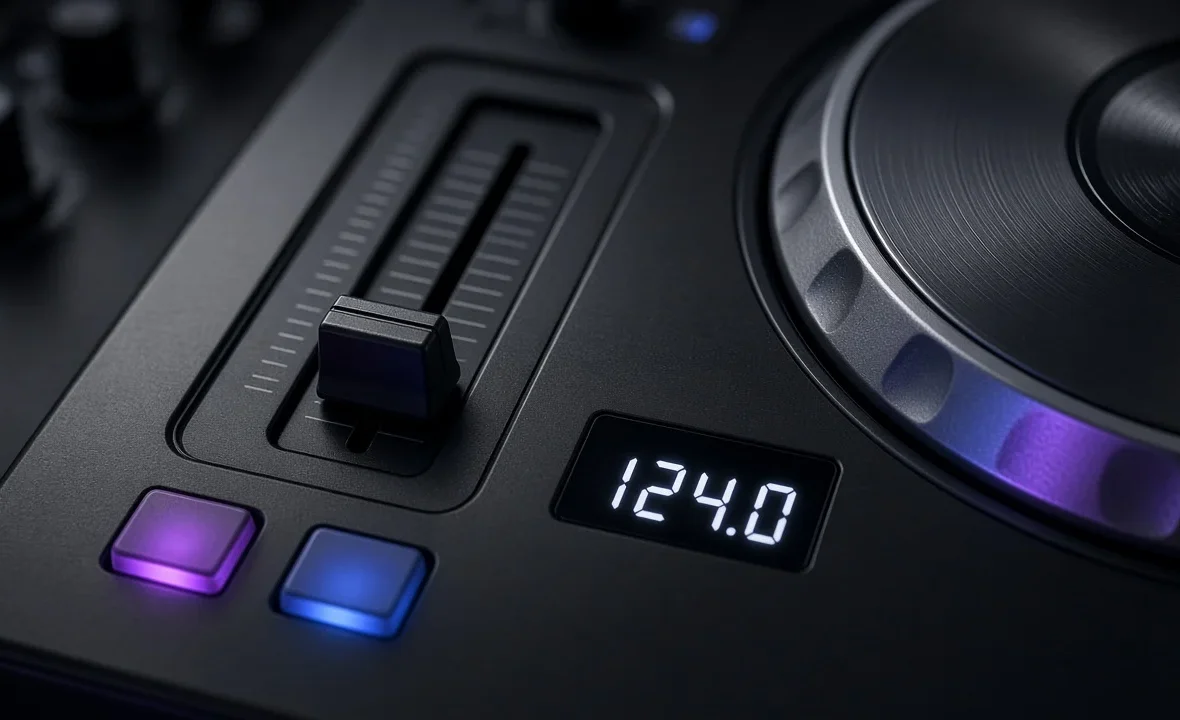
On every CDJ, turntable and DJ controller there is a long vertical slider next to the platter or jog wheel. It is called the pitch fader (or tempo fader), and it speeds a track up or slows it down so its beats line up with the track that is already playing. Sync buttons can do the job for you, but understanding the pitch fader is what lets you mix on any setup — and fix things when the sync gets it wrong.
The pitch fader changes a track’s playback speed, and therefore its BPM. The tempo range setting (±6%, ±10%, ±16% or Wide) decides how far the fader can go. Narrow ranges give finer control for beatmatching; wide ranges allow big tempo changes. With key lock off, faster also means higher in pitch.
What the Pitch Fader Actually Does
The fader changes the playback speed of the track as a percentage. At the centre (0%) the track plays at its original tempo. Move it one way and the track speeds up; move it the other way and it slows down. A 128 BPM track at +2% plays at about 130.6 BPM.
The name comes from vinyl. On a turntable, playing a record faster also raises its musical pitch, the same way speeding up a tape makes voices sound higher. Modern players and software add key lock (called Master Tempo on Pioneer DJ gear), which lets you change tempo without changing the key. Without it, a change of roughly 6% shifts the music by about one semitone — enough to make vocals sound noticeably off.
Tempo Ranges: ±6%, ±10%, ±16% and Wide
The tempo range setting decides how far the full length of the fader can move the speed. CDJs typically offer four ranges, and turntables like the Technics SL-1200MK7 switch between ±8% and ±16%.
| Range | Max change on a 125 BPM track | Best for |
|---|---|---|
| ±6% | 117.5–132.5 BPM | Precise beatmatching between similar-tempo tracks |
| ±8% | 115–135 BPM | The classic turntable setting |
| ±10% | 112.5–137.5 BPM | A middle ground for mixed sets |
| ±16% | 105–145 BPM | Bigger tempo jumps, genre changes |
| Wide | Very large changes | Effects, slow-downs and creative tricks — not everyday mixing |
The trade-off is resolution. The fader is the same physical length on every setting, so on ±6% each millimetre makes a tiny change, while on ±16% the same movement makes a much bigger one. For learning to beatmatch, ±6% or ±8% is easiest, because small mistakes don’t throw the beat out as far. Digital DJ Tips makes the same point in its CDJ settings checklist: always check the range the previous DJ left on the player.
Which Way Do You Move It?
This trips up almost every beginner. On most CDJs and turntables, the minus sign is at the top and the plus sign is at the bottom, so pulling the fader towards you speeds the track up. Many controllers and DJ apps follow the same layout, but some let you flip the direction in settings.
- Look at the markings printed beside the fader, not your memory of another setup.
- Watch the BPM display while you move it the first time on new gear.
- Find the centre. Most faders have a click or a light at 0%; many players also have a tempo reset button.
How to Use the Pitch Fader to Beatmatch
- Play the first track to the crowd and cue the next one in your headphones.
- Start the new track on the first beat of a bar, in time with the playing track.
- Listen for drift. If the new track’s kicks start to arrive early, it is too fast; if they arrive late, it is too slow.
- Move the fader in small steps in the right direction. Big moves overshoot.
- Nudge to realign. Use the jog wheel edge or pitch bend to pull the beats back together after each fader change.
- Repeat until the beats stay locked for 16 bars or more without touching anything.
If you are using a display, you can get close quickly with simple maths: to take a 124 BPM track up to 128 BPM, you need about +3.2%. After that, your ears do the fine-tuning. The full method is in the beginner’s guide to beatmatching.
Pitch Fader Mistakes to Avoid
| Mistake | What happens | Fix |
|---|---|---|
| Wrong tempo range | Tiny moves cause huge jumps | Check the range before your set |
| Key lock off on vocal tracks | Singers sound sped up | Turn key lock / Master Tempo on |
| Pushing too far from original BPM | Tracks sound stretched or chipmunky | Stay within about ±6–8% where possible |
| Riding the fader instead of nudging | Tempo never settles | Set the fader, then nudge the jog |
| Forgetting the outgoing track | Next mix starts at the wrong tempo | Glide the playing track back slowly over a few phrases |
If you need bigger tempo changes, plan them. See how to mix different BPMs. And if you mostly rely on sync, it is still worth reading should DJs use sync? — the pitch fader is your backup when things go wrong. For the physics behind it, pitch control on Wikipedia is a good short read.
A Note From NaJade
When I teach beginners in Bangkok, the pitch fader is where most of the first lesson goes. Almost everyone moves it the wrong way at first, because “up” feels like it should mean faster. I did exactly the same thing. What fixed it for me was saying out loud, every time, “early means too fast, late means too slow” — and making tiny moves instead of big ones. Once the fader became second nature, CDJs in an unfamiliar club stopped being scary. I still check the tempo range before every set, because the night I didn’t, someone had left it on Wide and my first mix drifted all over the place. A small habit, but it has saved me more than once.
Related: how to beatmatch, what is key lock, how to use CDJs, and how to mix in key.
Frequently Asked Questions
What does the pitch fader do on a DJ controller?
What pitch range should I use as a DJ?
Which way do you move the pitch fader to speed up?
Is the pitch fader the same as the tempo fader?
Does moving the pitch fader change the key of the song?
How far can you change the tempo before it sounds bad?
About the Author
NaJade is a Bangkok-based DJ playing progressive house, melodic EDM, pop, and Thai music across clubs, rooftops, and weddings in Thailand. He teaches beatmatching and mixing to beginners both in person in Bangkok and online over Zoom. When he’s not behind the decks, he’s documenting the journey on YouTube, Instagram, and TikTok.