
By NaJade · DJ in Bangkok · Published September 29, 2026
The honest answer might save you some money when you’re just starting out.
After a controller and headphones, speakers are the next thing every beginner assumes they need to buy. But do you actually? It’s a fair question, and the honest answer is more freeing than you’d expect. Here’s exactly when you need speakers, when you don’t, and what to get if you decide to.
No, you don’t need speakers to start DJing. You can learn and practise entirely through DJ headphones — most controllers route the master mix straight to your headphones, so you can hear both your live mix and the track you’re cueing. Speakers improve the experience and are worth getting eventually, but they’re optional when you’re starting out, and you should never rely on laptop speakers for real monitoring.
You Can Learn Entirely in Headphones
Here’s the part that surprises people: a decent number of DJs practise entirely in headphones, no speakers at all. Modern controllers have a built-in audio interface that routes the master mix directly to your headphones, so you can hear everything you need to learn beatmatching, EQ, and transitions. As Digital DJ Tips notes, some DJs use the “mono split” method — sending the crowd’s mix to one ear and your cue to the other — or in-ear monitors to mix in total silence. Perfect for late-night practice when everyone else is asleep, in an apartment, or anywhere you can’t make noise.
Why Speakers Still Help
That said, mixing on speakers is a genuinely better experience and worth having once you can. Speakers let you:
- Hear your mix the way a crowd would — feeling the bass in the room is different from hearing it in headphones, and it trains your ear for real gigs.
- Mix more naturally — the traditional method balances speaker volume against headphone volume so your cue and the live mix blend in the air around you.
- Practise performing — playing a set out loud feels far closer to a real gig than mixing silently.
- Enjoy it more — let’s be honest, music through good speakers is part of why we do this.
So speakers aren’t pointless — they’re just not a barrier to entry. Start in headphones, add speakers when you can.
The One Rule: Don’t Use Laptop Speakers
Whatever you do, don’t try to monitor your mix through your laptop’s built-in speakers. They lack the low-end you need to hear the kick and bassline (the very things you beatmatch and EQ by), and they can’t be properly routed alongside your headphone cue. If you’re not using external speakers yet, use your headphones — that’s what they’re for. Laptop speakers will actively teach you bad habits.
What Speakers Should a Beginner Get?
When you’re ready to add speakers, here’s the honest guidance:
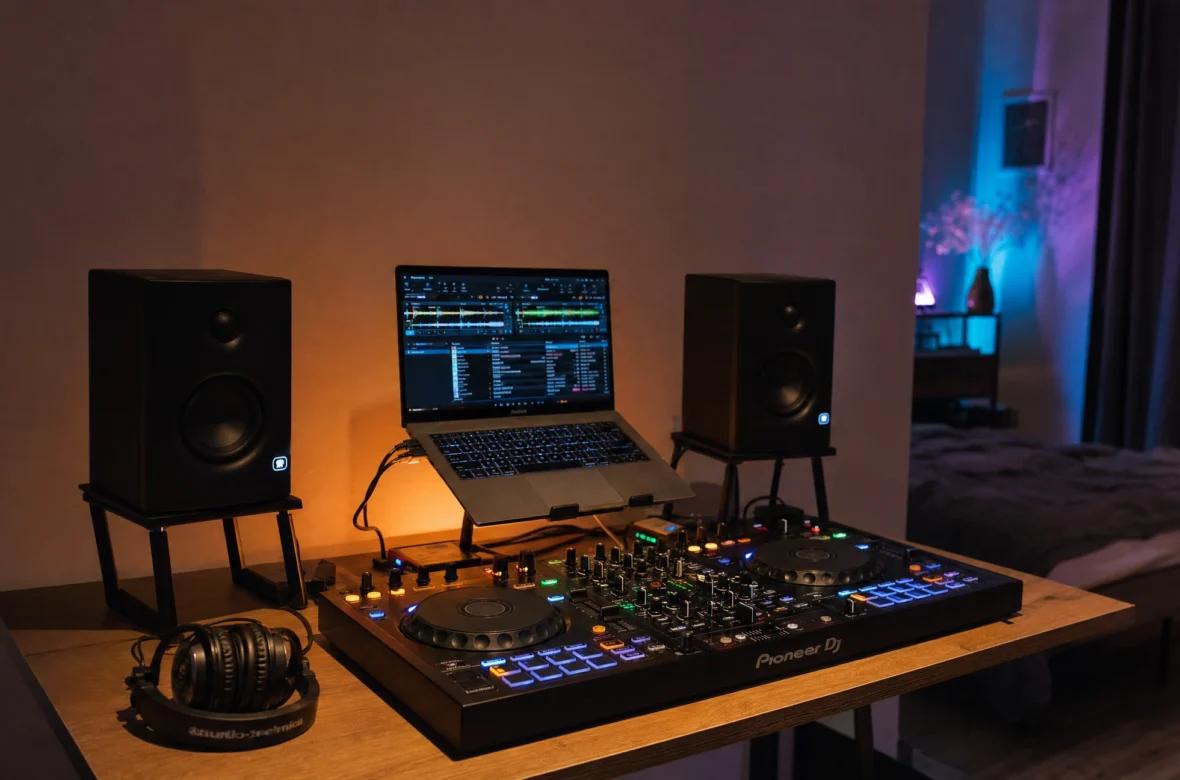
- Powered studio monitors are the standard choice for home DJing — “powered” (or “active”) means the amplifier is built in, so you just plug in and play. Compact monitors with a clear, balanced sound are ideal for a bedroom or small room.
- Don’t buy a giant PA system to practise at home. For learning, you want accuracy and a size that fits your room, not club volume that’ll annoy your neighbours.
- You probably already own something usable. As Pioneer DJ points out, you don’t need to rush — any decent powered speakers near your gear can get you started while you save for proper monitors.
- Position matters. For the traditional monitoring method to work, your speakers need to be near you, ideally at ear height and angled toward where you sit.
What About Playing Gigs?
Good news here: most venues provide their own sound system. Clubs, bars, and event spaces have PA systems you plug into, so you don’t need to own a big rig to start gigging. You bring your controller (or USB) and headphones; the venue handles the sound. Owning a portable PA only becomes worth it if you start playing private parties or events without their own system — which is a “later” problem, not a “starting out” one.
A Note From NaJade
I learned the basics almost entirely in headphones, late at night, because I lived somewhere I couldn’t make noise. It honestly didn’t slow me down — beatmatching and EQ are just as learnable in headphones, and it forced me to really listen. When I finally added monitors, it was a joy, but it wasn’t the thing that made me better; the practice was. So if a lack of speakers is the reason you haven’t started, let that excuse go tonight. Plug in your headphones and mix. Speakers can come later.
If you’ve got your gear sorted and want to start actually mixing, head to how to beatmatch, or see the full roadmap in my guide to how to learn to DJ. And if you’d like someone to guide you through it, my DJ lessons run in person in Bangkok or online over Zoom.
Frequently Asked Questions About DJ Speakers
Do you need speakers to start DJing?
Can I DJ with just headphones?
Can I use my laptop speakers to DJ?
What kind of speakers do I need for home DJing?
Do I need to bring speakers to a gig?
Are studio monitors or PA speakers better for beginners?
About the Author
NaJade is a Bangkok-based DJ playing progressive house, melodic EDM, pop, and Thai music across clubs, rooftops, and weddings in Thailand. He teaches beatmatching and mixing to beginners both in person in Bangkok and online over Zoom. When he’s not behind the decks, he’s documenting the journey on YouTube, Instagram, and TikTok.